28
Do not ll the cat litter over the 'max line', press for 5 seconds to calibrate.
Press the WiFi icon for 5 seconds to connect to the app.
Installation
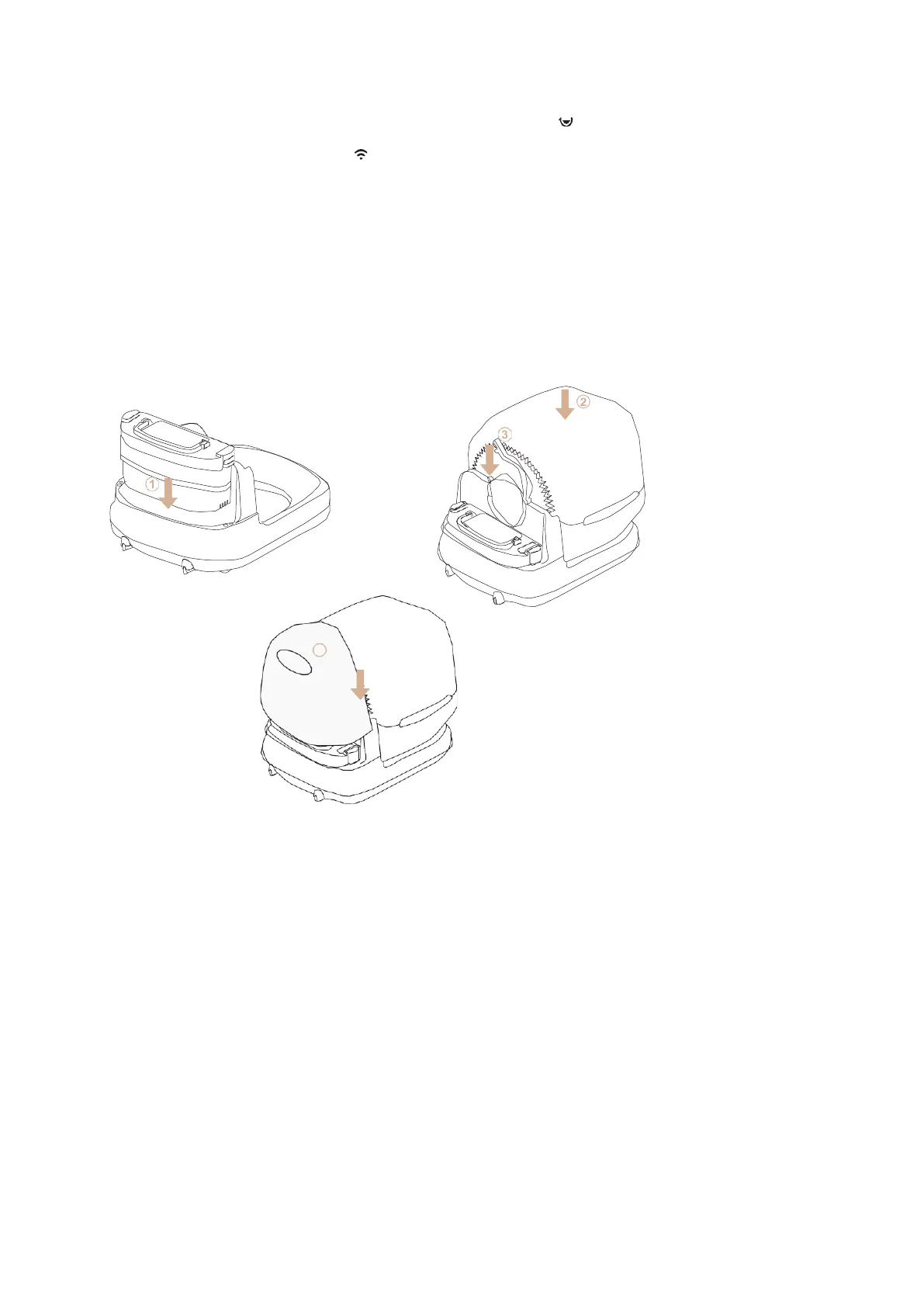
5. Place the barrel on the base
6. Lock the barrel
7. Check if it is properly secured
8. Install the protective cover
Usage
3. Plug the plug into the socket and let the device start up.
4. The device is ready for use immediately after starting up.


 To Next Page