34
NB:
If the network conguration fails or a timeout message appears, check the following options:
8. Whether WiFi , Bluetooth and location switch are enabled at the same time.
9. Whether the WiFi is in the 2.4G band and whether the phone is connected to the 2.4G
band WiFi network. (The product cannot recognize the 5G band network.)
10. Or the WiFi indicator on the panel ashes during network conguration.
11. Whether the WiFi network in your home is broken or unavailable, check whether other
devices can use the network normally.
12. Whether the WiFi password is correct.
13. If the WiFi signal is too poor, move the machine to a nearby router and reconnect.
14. The router connects to many wireless devices, causing IP address conicts.
Use instructions
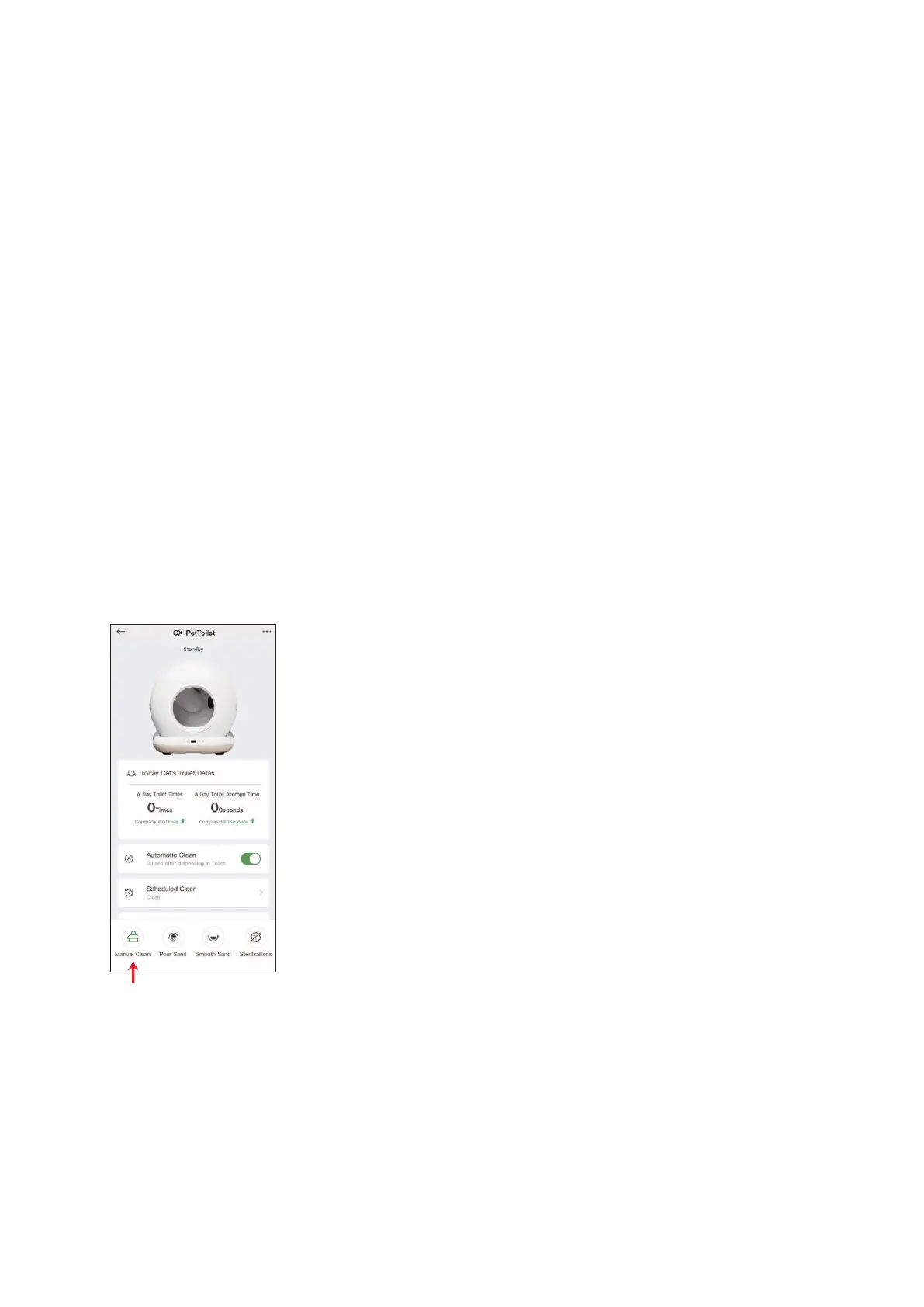
Manual cleaning
Click 'Manual Clean' on the control panel or in the app.
NB:
During the cleaning process, the other functions are not available. available.
You can cancel the process by pressing again briey.


 To Next Page