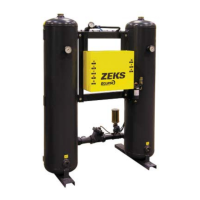
ZEKS Eclipse ZPA 90-5000 Desiccant Dryers
www.zeks.com
13
10.0 TROUBLESHOOTING
PROBLEM
Elevated dew point
Blue Moisture Indicater (BMI)
indicates high moisture level.
Excessive pressure drop in
dryer
Failure to shift
Dryer fails to pressurize.
Dryer depressurizes too
rapidly.
Dryer fails to purge.
Excessive back pressure in
regenerating tower (above 5
psig).
Right tower excessively high
pressure at the purge gauge.
PROBABLE CAUSE
Insuffi cient purge rate.
Inlet air pressure below design condition.
Flow rate higher than design condition.
Inlet temperature above design condition (120F).
Entrained water entering desiccant bed.
Desiccant contaminated by oil.
Elevated dew point.
BMI wet.
Excessive fl ow rate.
Inlet pressure below design condition.
No input power.
Defective solenoid valve.
No pilot air.
Pilot-operated diaphragm valve seat failure.
Faulty purge valve.
Purge valve does not close; dryer repressurizing
through inlet valve.
Purge valve does not open. Purge valve stuck in
closed position.
Purge muffl er does not pass air.
Purge muffl er passes too much air. Air is leaking
across valve.
Improper calibration.
CORRECTIVE ACTION
Check purge fl ow settings.
Check purge piping for obstruction.
Clean purge piping and muffl er.
Check pressure source and system for leakage.
Check fl ow rate and cause for increased demand.
Correct fl ow rate condition.
Check aftercooler. Clean and service as necessary.
Check air/moisture separator, prefi lter and drains.
Replace dryer desiccant if necessary.
Install suitable prefi lter. Replace dryer desiccant.
Refer to “Elevated Dew Point” corrective actions
shown above.
Depending on degree of saturation of the desic-
cant, the BMI may take a week or more of con-
tinuous use to switch back to its blue (dry) state.
Check fl ow rate and cause for increased air demand.
Check pressure source.
Check power input.
Check solenoid valve.
Check pilot air line. Check that control air line
fi lter is clean.
Inspect seals and replace as required.
Check that repressurization circuit is sending
control signal.
Check purge valve and its solenoid valve.
Check purge valve and its solenoid valve.
Check purge valve and its solenoid valve. Repair
and replace if necessary.
Check that repressurization circuit is sending
control signal.
Purge muffl er is dirty; replace.
Check inlet valve and outlet check valves. Verify
inlet valve is closed to purging tower (0 psig
tower).
Reset when right tower is online.
For troubleshooting procedures, refer to maintenance descriptions in Section 9 as required.



 To Next Page