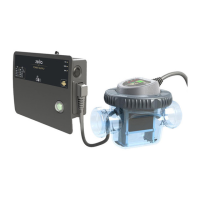
Technical instructions ZELIA ZLT
15
o6
Model identification (25=ZLT25)(50=ZLT50)(75=ZLT75)
o7 (editable)
Desired production level (refer to section "Production level").
o8
Electrolysis voltage (in Volt) on the plates.
* Parameters reserved for assessment, corrective maintenance.
After 10 seconds, the display automatically returns to normal mode (Standby: display of tempera-
ture, default and mode)
Parameter Description
7.9. Water hardness
To extend the lifespan of the cell it is necessary to enter the water hardness. The device will then au-
tomatically calculate the best duration of the polarity inversion cycles. The hydrometric title (T.H.)
indicates the mineral content of the water and is expressed in French degrees or mg/l. This value is
given by the water supplier but may be measured by a water specialist.
To set this parameter:
1.
Press the keys
and until o5 is displayed.
2.
Validate with the key
.
3.
Adjust the parameter with the keys
and (see table bellow) .
4.
Validate with the key
.
Water hardness
Value to enter un-
der parameter
o5
Duration of the polar-
ity inversion cycles*
Very soft (0 to 10 ppm)
h1
7h20
Soft (10 to 30 ppm)
h2
6h20
Slightly hard (30 to 60 ppm)
h3
5h20
Moderately hard (60 to 120
ppm)
h4
4h20
Hard (120 to 180 ppm)
h5
3h20
Very hard (180 ppm and over)
h6
2h10
After 10s the display automatically returns to normal mode (standby: display of the temperature,
error and mode).
*This value corresponds to the polarity inversion cycles required for the self-cleaning of the cell.
This parameter doesn't have any impact on the daily production time.



 To Next Page