72 GW29-016_v05
4
Press the QuickStart/Start to start grilling. You will hear a beep and the grilling
program will start to operate. The display will show the symbol and the remaining
grilling time.
When the half of grilling time is over, the cooker shall stop and you shall
hear double sound signal. It is normal. When it happends, please turn the
food. In case you do not perform any activity within 1 minute, the cooker
shall be switched on again and you will hear one sound signal.
Combination mode (microwaves + grill)
When the appliance is operated in the combination mode, children should
only use the oven under adult supervision due to the high temperatures
generated.
1
Press the Micro./Grill/Combi. button. The display will show P100.
2
To select the required mode turn the knob towards or .
The display will show the following: P80, P50, P30, P10, G, C-1,
C-2 and the symbols and .
C-1 = 55% of the time – microwave cooking
45% of the time – grilling
C-2 = 30% of the time – microwave cooking
70% of the time – grilling
3
After selecting the appropriate mode press the Micro./Grill/Combi. button and turn the
knob towards or , to set the cooking time. The cooking time can be set from 0:05 and
increased by turning the knob towards or decreased by turning it towards . Start to
decrease the cooking time from the value 95:00. The maximum cooking time is 95 minutes.
4
Press the QuickStart/Start button to start cooking. You will hear a beep and the
cooking program will start to operate. The symbols and will fl ash on the display.
Start (Quick start)
If the oven is in the stand-by mode, press QuickStart/Start, to start cooking for 1 minute
at full power. Each time you press the button the cooking time will be prolonged for one
minute. The maximum cooking time is 95 minutes.
Setting the program at a given time
1
Set the clock (see Setting the clock.)
2
Enter a cooking program (see: Microwave cooking). You can set up to 3 stages.
The defrosting program should always be set as the fi rst one.
3
Press the Clock/Pre-Set button, the digits of the hour will start
to fl ash and the display will show the clock control lamp .
4
Turn the knob towards or to set the time. You can
select digits from 0-23 – direction or 23-0 – direction .
5
Press the Clock/Pre-Set button, the digits of the minutes will
start to fl ash.
6
Turn the knob or to set the minutes. You can select
digits from 0 to 59 – direction or from 59 to 0 – direction .
7
Press the QuickStart/Start button to fi nish setting the time.
The clock control lamp will start to fl ash. If the door is closed, after the set time is
reached, you will hear two beeps, the cooking will start automatically, the clock control
lamp will light out and the cooking control lamps will light: and e.g. .
Defrosting by weight
1
Press the Defrost By W.T. button. The display will show dEF1 and the control lamps
and will light.
2
Turn the knob towards or to set the weight of the food
to be defrosted. The display will show the letter g. The display will
show 100-200...1900-2000 (or in reverse order) – direction .
3
Press the QuickStart/Start to start defrosting. You will hear
a beep and the defrosting program will start to operate. The
symbols and and the remaining defrosting time will fl ash
on the display.
Defrosting by time
1
Press the Defrost By Time button. The display will show
dEF2 and the control lamps and will light.
2
Turn the knob towards or to set the defrosting time.
The defrosting time can be set from 0:05. It can be increased
by turning the knob towards and decreased by turning the knob towards . Start to
decrease the time from the value 95:00. The maximum defrosting time is 95 minutes.
3
Press the QuickStart/Start button to start defrosting. The control lamps and
will light.
Checking the mode
While cooking using the Microwave/Grill/Combi. mode, press the Microwave/Grill/
Combi. button, the current microwave power will appear on the display for 4 seconds.
Press the Clock/Pre-set button to display the current time. After 4 seconds the indicators
will return to the previous state.
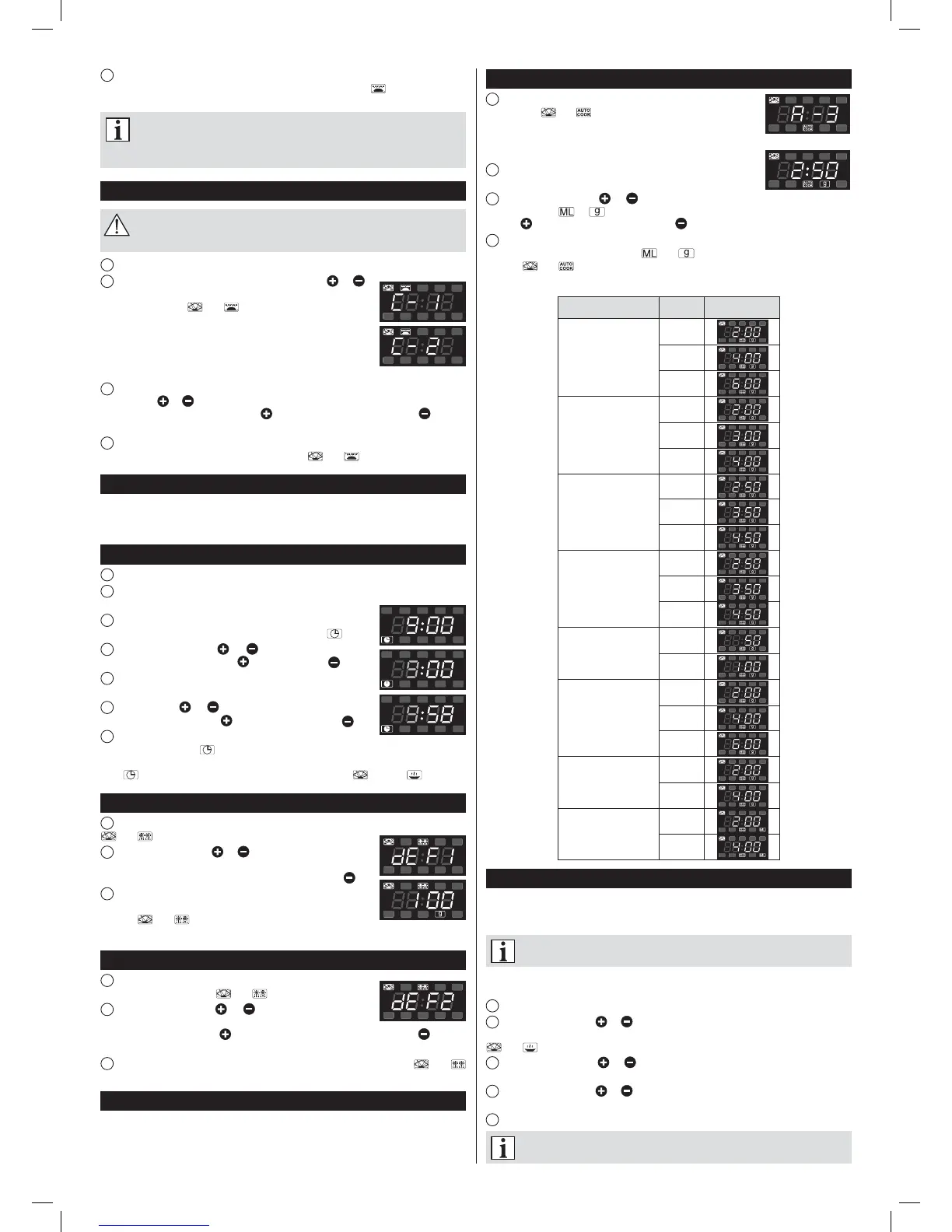
Automatic menu
1
Press Auto menu several times to select the cooking menu. The
control lamps and will appear on the display. The menu can
be selected according to the table below in the following way:
Turn the knob to select: Automatic reheat – Vegetables – Fish – Meat – Pasta – Potato
– Pizza – Soup/Coffee, the display will show A-1, ..., A-8.
2
After selecting the menu confi rm by pressing the Auto menu
button.
3
Turn the knob towards or to select the weight of the food to be cooked. The
display will show or . The weight or value can be increased by turning the knob
towards or decreased by turning it towards .
4
Press the QuickStart/Start button to start cooking. You will hear a beep and the
cooking program will start to operate. and will light and the display will show the
symbols and and the remaining cooking time.
Automatic menu table
Menu Weight Display
A-1
Automatic
reheat
200 g
400 g
600 g
A-2
Vegetables
200 g
300 g
400 g
A-3
Fish
250 g
350 g
450 g
A-4
Meat
250 g
350 g
450 g
A-5
Pasta
50 g
100 g
A-6
Potato
200 g
400 g
600 g
A-7
Pizza
200 g
400 g
A-8
Soup
200 ml
400 ml
Multi stage cooking
You can set up to 3 cooking stages. In case of multi stage cooking, if defrosting is one of
the cooking stages, the defrosting program will be automatically switched on as the fi rst
one. After a stage is fi nished, you will hear a beep and the next stage will start.
Automatic cooking cannot be one of the programs of multi stage cooking.
EXAMPLE: To set the cooking for 10 minutes at 100% microwave power and for 15
minutes at 80% microwave power do the following:
1
Press the Micro./Grill /Combi. twice to select 100% microwave power – P100.
2
Turn the knob towards or to set the cooking time for 10 minutes and confi rm by
pressing the Micro./Grill /Combi. button. The display will show “P100” and the symbols
and .
3
Turn the knob towards or to set 80% microwave power – P80 and confi rm by
pressing the Micro./Grill /Combi. button.
4
Turn the knob towards or to set the cooking time for 15 minutes and confi rm by
pressing the Micro./Grill /Combi. button.
5
Press the QuickStart/Start button to start cooking.
Each time a mode ends you will hear a beep which indicates the end of
operation.
instrukcja 29Z012 i 013.indb 72instrukcja 29Z012 i 013.indb 72 2015-05-28 13:56:292015-05-28 13:56:29


 To Next Page
 Loading...