7
EN
Step 4
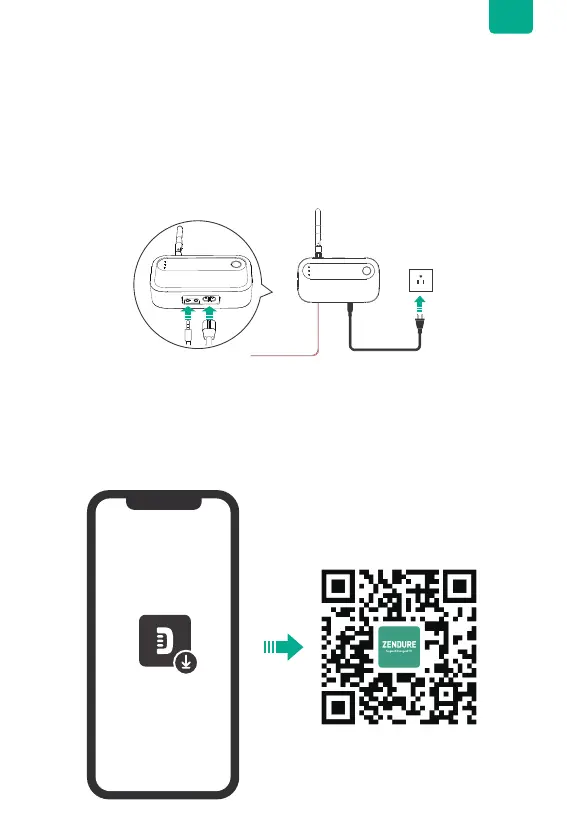
Power the meter and check the REV Indicator.
Plug the power harness securely into the Smart Meter's AC power input connection
until fully inserted, then connect the plug to a 120V power outlet and turn on the main
breaker.
Next, plug the two sensor connectors into the Smart Meter. Ensure no current is
owing back to the grid. Plug the sensor into the CT1 port, and check if the REV
Indicator lights up red. If it does, adjust the direction of the sensor clamp. Then, plug
the second sensor into the CT2 port and repeat the check.
Step 5
Bind smart meter to the App and activate the Smart CT Mode.
Please read the Zendure app user guide download the app using the QR code above
or by visiting https://zendure.com/pages/download-center.
Bind the Smart Meter CT to the Zendure App and update the rmware to the latest
version.


 To Next Page