8
EN
Step 6
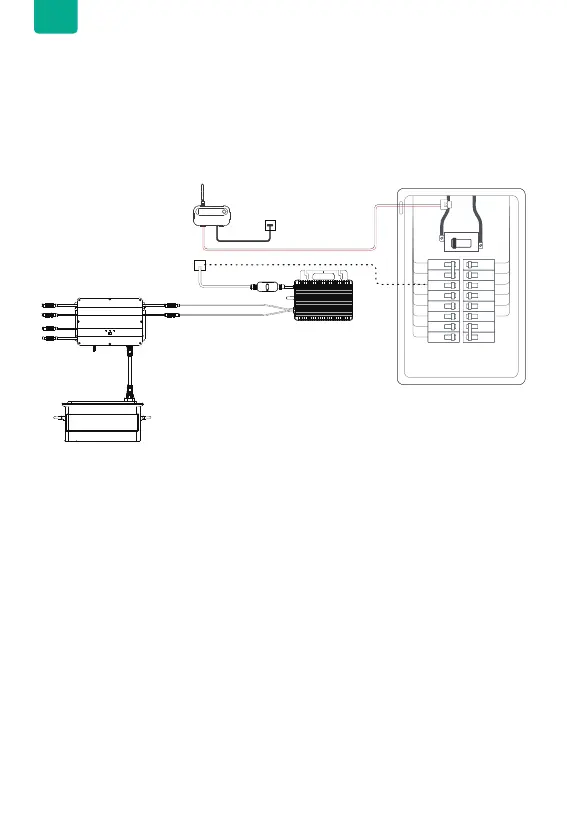
Close the cover of service panel.
Ensure the Zendure Smart Meter CT is operational, then close the service panel cover.
To use the Smart Meter CT with SolarFlow in Smart CT mode, clamp the sensor onto
the same main where the SolarFlow is connected to. Also, ensure both the Smart
Meter CT and SolarFlow are on the same phase.
To verify if the two devices and sensor are on the same phase, increase the SolarFlow
output and observe which monitored main shows a corresponding decrease in
consumption. Bind SolarFlow to that phase and activate Smart CT Mode in the
Zendure App.
L1 L2


 To Next Page