6
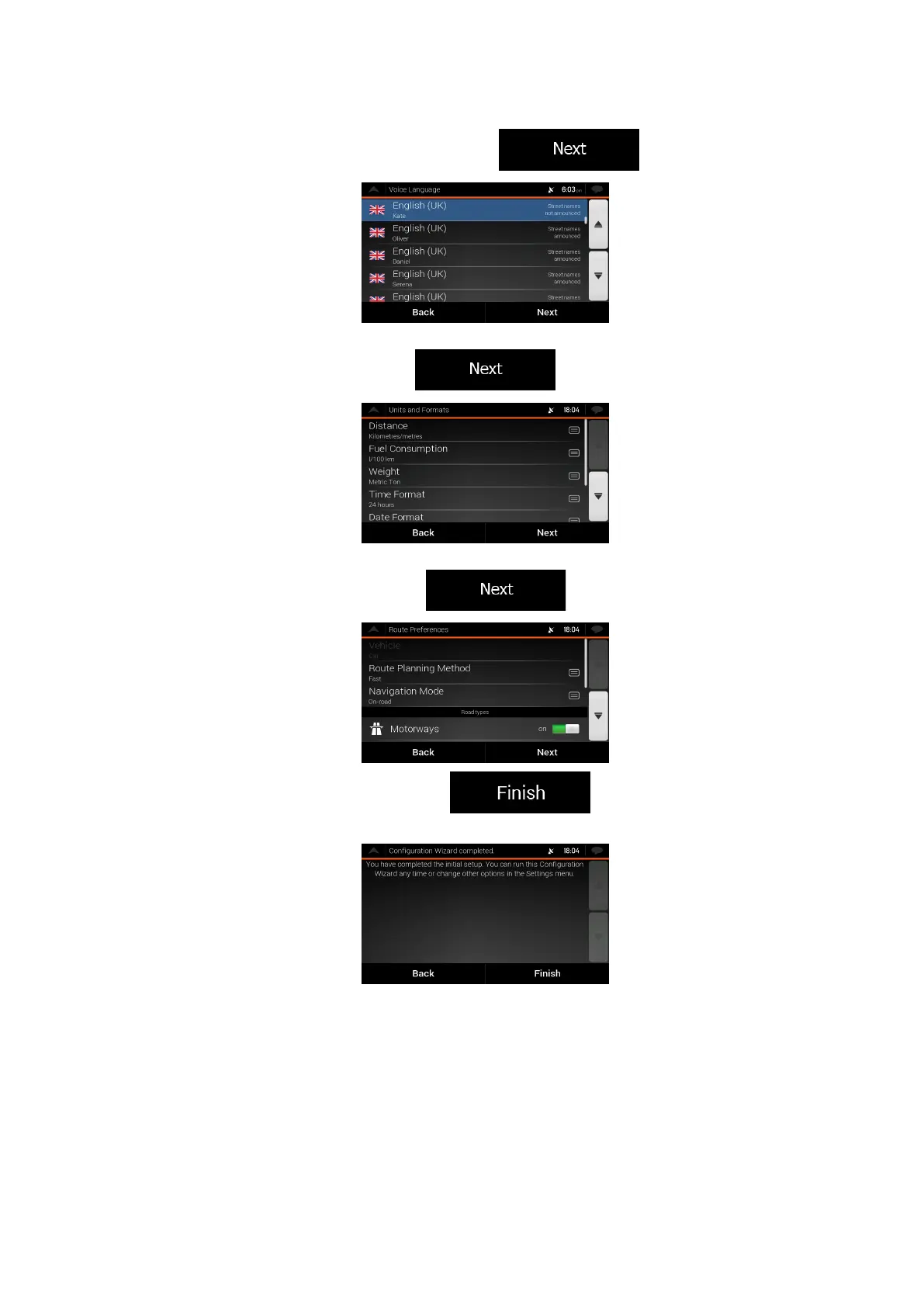
4. Select the language and speaker used for voice guidance messages. Later you can
change it in Regional settings (page 68). Tap
to continue.
5. If needed, modify the time format and unit settings. Later you can change them in
Regional settings (page 73). Tap
to continue.
6. If needed, modify the default route planning options. Later you can change them in
Route Preferences (page 67). Tap
to continue.
7. The initial set-up is now complete, tap
to enter the Navigation
view.


 To Next Page