P,o 161SETUPI . NUS
f
Customize
yourchannel.
selection.
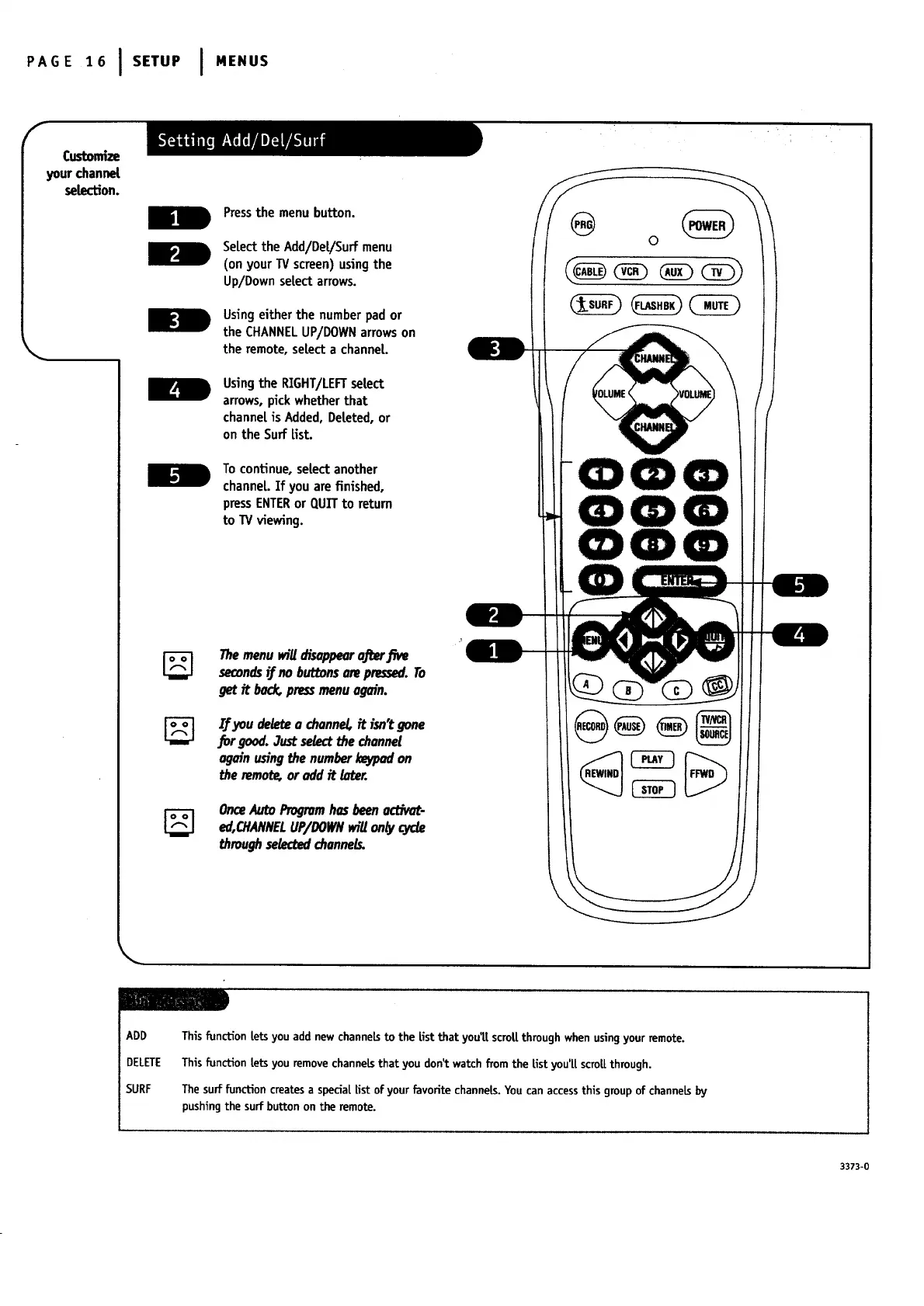
Pressthe menu button.
Select the Add/De[/Surf menu
(on your TV screen)usingthe
Up/Downsetectarrows.
Usingeither the number pad or
the CHANNELUP/DOWNarrowson
the remote,select a charmer.
Usingthe RIGHT/LEFTsetect
arrows,pickwhether that
charmeris Added,Deteted,or
on the SurfEst.
To continue, setect another
channeL.Ifyou arefinished,
pressENTERor QuI"rto return
to TV viewing.
Themenu wiUdisappearuj_er.Ewe
s_onds _ no buttonsmwpressed.To
getit back,pressmenuagain.
If _u deletea channel,it isn'tgone
for good.3ustselectthechannel
againusingthenumberI_ on
theremot_oraddit later.
Om_Auto Progromhasbeen _'t_-
ed,OtANNELUP/DOWNwillontycj_
through selectedchannels.
i
@ o
m
ADD
DELETE
SURF
Thisfunction Letsyou add new channeLsto the Listthat you't[scrot[ through whenusingyourremote.
Thisfunction tetsyou removechanneLsthat you don_watchfrom the fist you'[[scro[[through.
Thesurf function createsa specia[Estof yourfavorite channels.Youcan accessthis groupof channeLsby
pushingthe surfbutton on the remote.
3373-0




 To Next Page