P,oE22IM_NU,ISP_C,,LFE,TU_ES
F
Labelyour
television
channels.
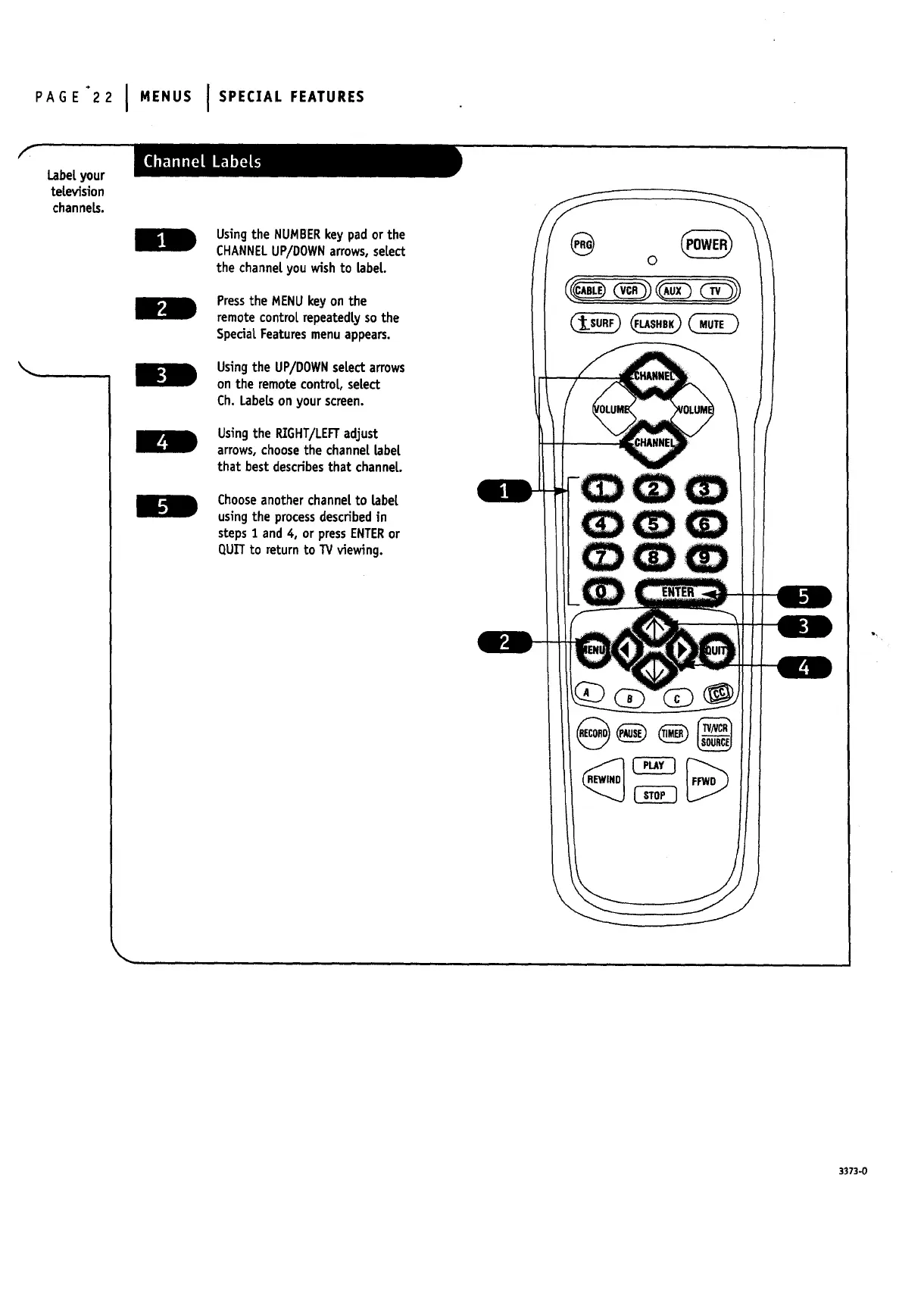
Using the NUMBERkey pad or the
CHANNELUP/DOWNarrows,select
the channel you wishto [abel
Pressthe MENUkey on the
remotecontrol repeatedlyso the
SpecialFeaturesmenuappears.
Usingthe UP/DOWNselect arrows
on the remote control, select
Ch. Labelson your screen.
Usingthe RIGHT/LEFTadjust
arrows,choosethe channel [abet
that best describesthat channel.
Chooseanother channelto [abet
usingthe processdescribedin
steps1 and 4, or pressENTERor
QUITto return to TV viewing.
3373-0


 To Next Page
 Loading...


