P,GE,I,NST,LL,T,ONI ST,.O,RO
f
Connect
an off-air
antenna
to your
Entertainment
Machine.
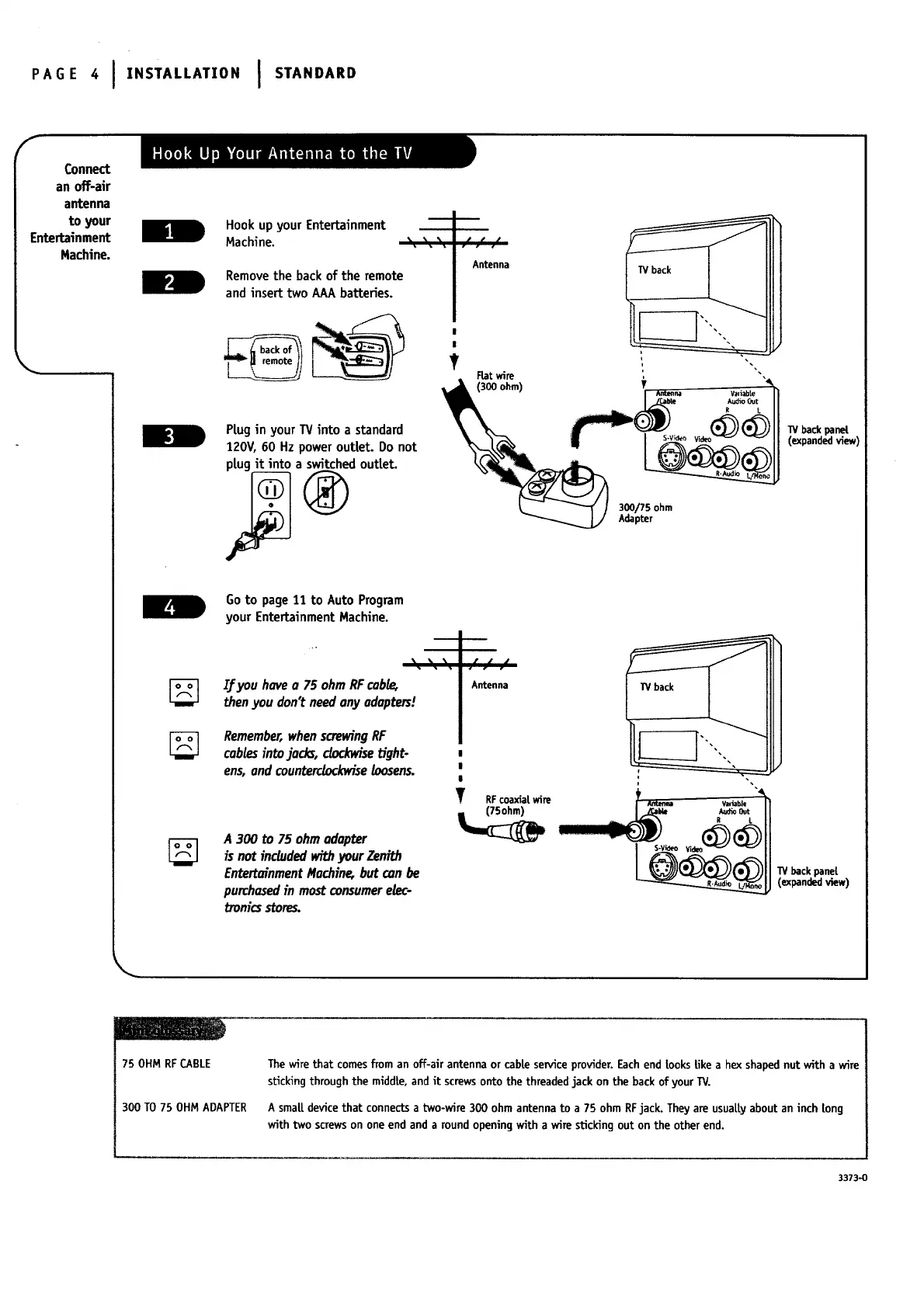
Hook up your Entertainment
Machine. _ " "
Remove the back of the remote
and insert two AAA batteries.
remote_1
PLug in your TV into a standard
120V, 60 Hz power outLet. Do not
plug it into a switched outLet.
Goto page11 to Auto Program
your EntertainmentHachine.
I/you haveo 75 ohm RFcobE_
thenyou don't needony odopters!
Remember,whenscrewingRF
cablesintojocks,clockwise tight-
ens,end countercb_vise loosens.
A 300 to 75 ohmadopter
is not included withyourZenith
EntertainmentMachin¢ but can be
purchosedin mostconsumerelec-
troni_ stores.
/ A_t:_na
i.,_ (300FLatwire
ohm) 7 . . w,i,bie
300/75 ohm
Adapter
TVback
TV back panel
(expandedview)
W backpanel
(expandedview)
75 OHMRFCABLE
300 TO 75 OHM ADAPTER
The wirethat comesfrom an off-air antenna or cableserviceprovider.Eachend LooksLikea hex shapednut with a wire
stickingthroughthe middle, and it screwsontothe threadedjack on the backof yourTV.
A smaLLdevicethat connects a two-wire 300 ohm antennato a 75 ohm RFjack. Theyare usuaLLyabout aninch Long
with two screwson oneend anda roundopeningwith a wire stickingout on the other end.
3373-0




 To Next Page