EasyManua.ls Logo

Zenith DVB712 - User Manual

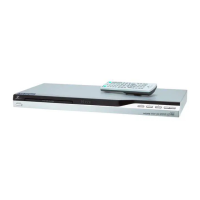
Zenith DVB712
24 pages
Print Icon
To Next Page IconTo Next Page
Loading...
DV276H-NT.HA1ULZS_ENG_5712
© Copyright 2007, LG Electronics U.S.A., Inc.
For service/
support Call:
Toll Free Number
1-800-243-0000
Installation and Operating Guide | Warranty
Model Number | DVB712 | DVD Player

Questions and Answers

  • T
    traceywattsAug 11, 2025
    What to do if there is no picture on my Zenith DVD Player?
    • S
      Steven SalazarAug 11, 2025
      If your Zenith DVD Player shows no picture, ensure that your TV is set to the correct video input mode to receive the DVD output. Also, verify that the video cable is securely connected to both the DVD player and the TV.
  • E
    ehansenAug 21, 2025
    Why is there no sound coming from my Zenith DVB712 DVD Player?
    • M
      Michael BenjaminAug 21, 2025
      If your Zenith DVD player is not producing any sound, first ensure that the equipment connected to the audio cable is set to receive the DVD audio signal output by selecting the correct input mode on your audio receiver. Also, check that the connected equipment is powered on. If the issue persists, verify that the AUDIO options are correctly configured and then turn the DVD player on again.
  • D
    Dominic StewartAug 30, 2025
    What to do if my Zenith DVB712 does not start playback?
    • A
      Angela LinAug 30, 2025
      If your Zenith DVD player does not start playback, make sure you have inserted a playable disc, checking its type and regional code for compatibility. Another possible reason is that the rating level is set; try changing the rating level.

Zenith DVB712 Specifications

General IconGeneral
TypeDVD Player
Playable Disk TypesDVD, CD, CD-R, CD-RW
Progressive ScanYes
Remote ControlYes
Power SupplyAC 120V, 60Hz
Power Consumption15W
Supported MediaJPEG, MP3
Video OutputComposite, Component
Audio OutputStereo, Digital Coaxial
Weight1.6 kg

Related product manuals