EasyManua.ls Logo

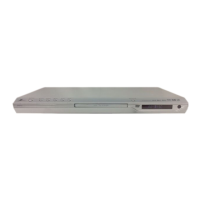
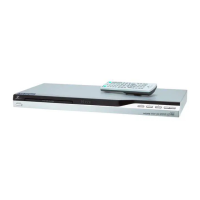
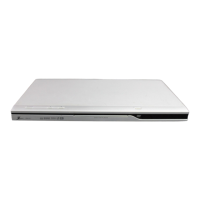
Zenith DVT412 - User Manual

Zenith DVT412
36 pages
Print Icon
To Next Page IconTo Next Page
Loading...
© Copyright 2004, LG Electronics U.S.A., Inc.
Installation and Operating Guide | Warranty
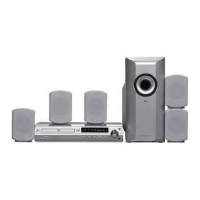
Model Number | DVT412 | DVD/CD Player
AM-FM Receiver with Speaker System
(Speakers: LHS-D6245T/LHS-D6245W)

Table of Contents

Other manuals for Zenith DVT412

Questions and Answers

  • B
    baileychristopherAug 1, 2025
    Why is my Zenith DVD Player remote control not working?
    • E
      Eric EdwardsAug 1, 2025
      Your Zenith DVD Player remote control might not be working because it's not pointed at the remote sensor on the DVD/CD player. Ensure you're pointing it correctly. Also, make sure you are within 23 ft (7 m) of the DVD/CD player and that there are no obstacles blocking the path between the remote and the receiver. Finally, the batteries might be exhausted, so try replacing them with new ones.
  • L
    lambkellyAug 16, 2025
    What to do if my Zenith DVT412 DVD Player can't tune into radio stations?
    • H
      hicksadamAug 17, 2025
      If your Zenith DVD Player isn't tuning into radio stations, first, check the antenna connection and position; connect it securely and adjust as needed, using an external antenna if necessary. If you're using automatic tuning, the station's signal might be too weak, so try tuning in manually. Also, if tuning by scanning preset stations, ensure the stations are preset, as they may have been cleared. Refer to page 28 for instructions on presetting stations.

Summary

Safety Precautions

Regulatory Information

Outlines FCC compliance and radio frequency energy usage.

Important Safety Instructions

Before Use Guidance

Playable Disc Types

Lists the types of discs (DVD, Audio CD, MP3, WMA, JPEG) the player can handle.

Unit Handling and Disc Precautions

Front Panel Controls and Indicators

Control Panel Overview

Identifies and explains the function of the front panel controls and display window.

Remote Control Operations

Button Functions and Operation Range

Details remote button functions, effective range, and battery installation.

Rear Panel Connections

Connection Terminals Overview

Illustrates and labels the various input and output terminals on the rear panel of the unit.

TV and Video Connections

Standard TV Video Connections

Guides on connecting the player to a TV using video or S-Video cables for display.

Progressive Scan Connection Setup

Explains how to connect for progressive scan output to compatible high-definition TVs.

Speaker System Setup

Connecting Speaker Cables

Guides on connecting the supplied speaker cords to the appropriate terminals for surround sound.

Speaker Placement Guide

Pre-Operation Audio Modes

Understanding Surround Sound Modes

Defines various surround sound modes like DTS, Dolby Digital, Pro Logic, and 3D Surround.

On-Screen Display and Menu Operations

Playback Status and Menu Navigation

Explains how to interpret playback status displays and navigate menu options.

Initial Setup Configuration

General Setup Menu Navigation

Guides on accessing and navigating the main setup menu for preferences.

Advanced Pre-Operation Settings

Speaker Configuration and Testing

Details how to select, adjust volume, distance, and test speakers for 5.1 surround.

Parental Control and Country Code

Setting Parental Restrictions and Ratings

Guides on setting movie ratings and parental control levels to restrict content.

DVD Playback Operations

Basic DVD Playback Control

Instructions for starting DVD playback, selecting titles, chapters, and pausing.

Navigating and Searching DVD Content

Explains how to search for specific points and skip tracks/chapters during playback.

Advanced DVD Playback Features

DVD Special Features and Audio Options

Audio CD and MP3;WMA Playback

Playing Audio and MP3;WMA Discs

Instructions for inserting and playing Audio CDs, MP3, and WMA files.

Audio CD;MP3;WMA Playback Controls

JPEG File Viewing and Navigation

Programmed Playback Features

Speaker Configuration Details

Radio Operation and Tuning

Troubleshooting Guide

Common Power and Playback Issues

Addresses problems like no power, unit not working, no picture, or no sound.

Advanced Troubleshooting

Limited Warranty Information

Zenith DVT412 Specifications

General IconGeneral
BrandZenith
ModelDVT412
CategoryDVD Player
LanguageEnglish

Related product manuals