18
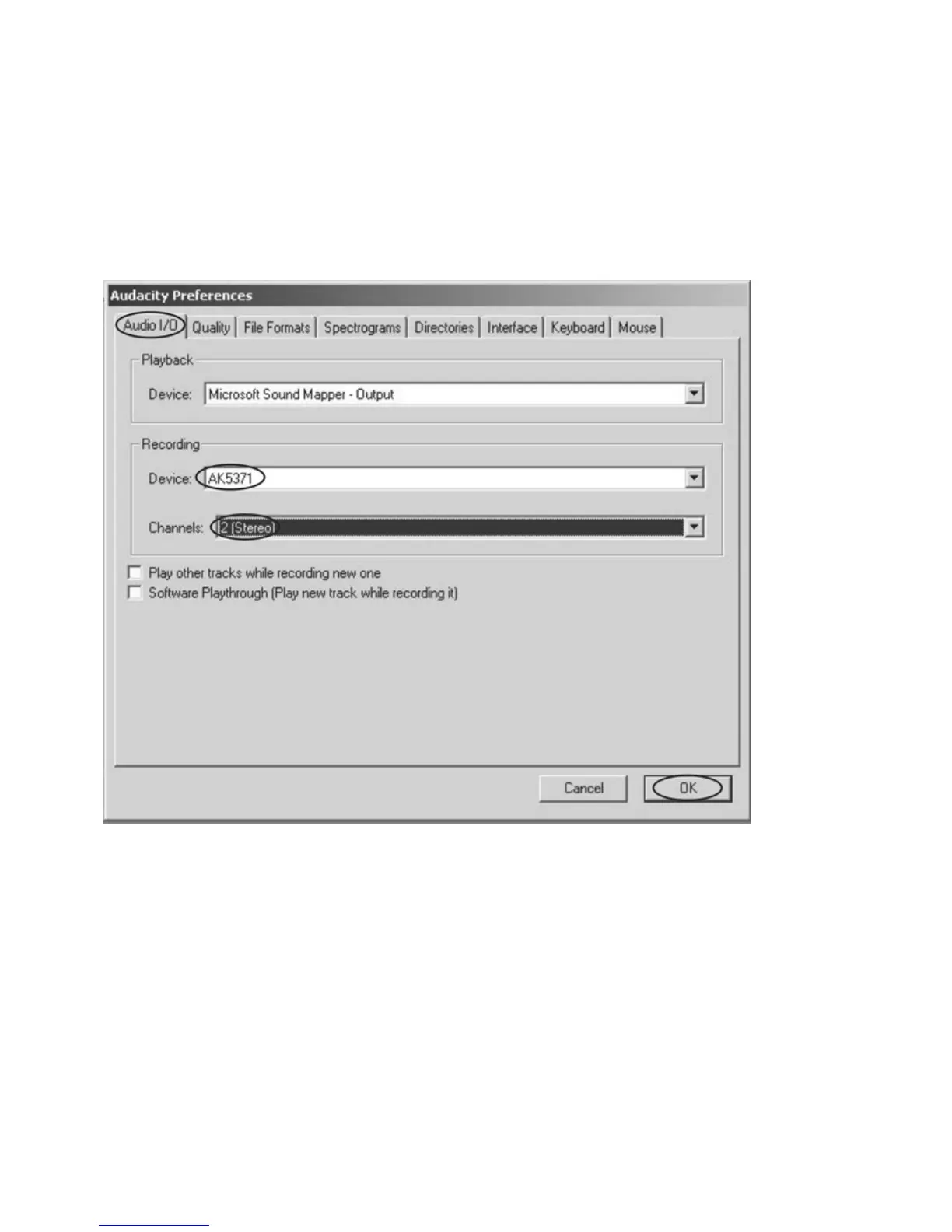
Select the recording device: AK5371
z Click the “Audio I/O” at the Audacity Preferences interface.
z Click the “Device” and select “Ak5371”.
z Click the “Channels” and select 2 (stereo).
z Click the “OK”.
z Note: If you couldn't find the "AK5371" from the Device list, close the Audacity Software and
re-open then try again.
4. Adjust the output and input volume.


 To Next Page