8
Listening to a Record
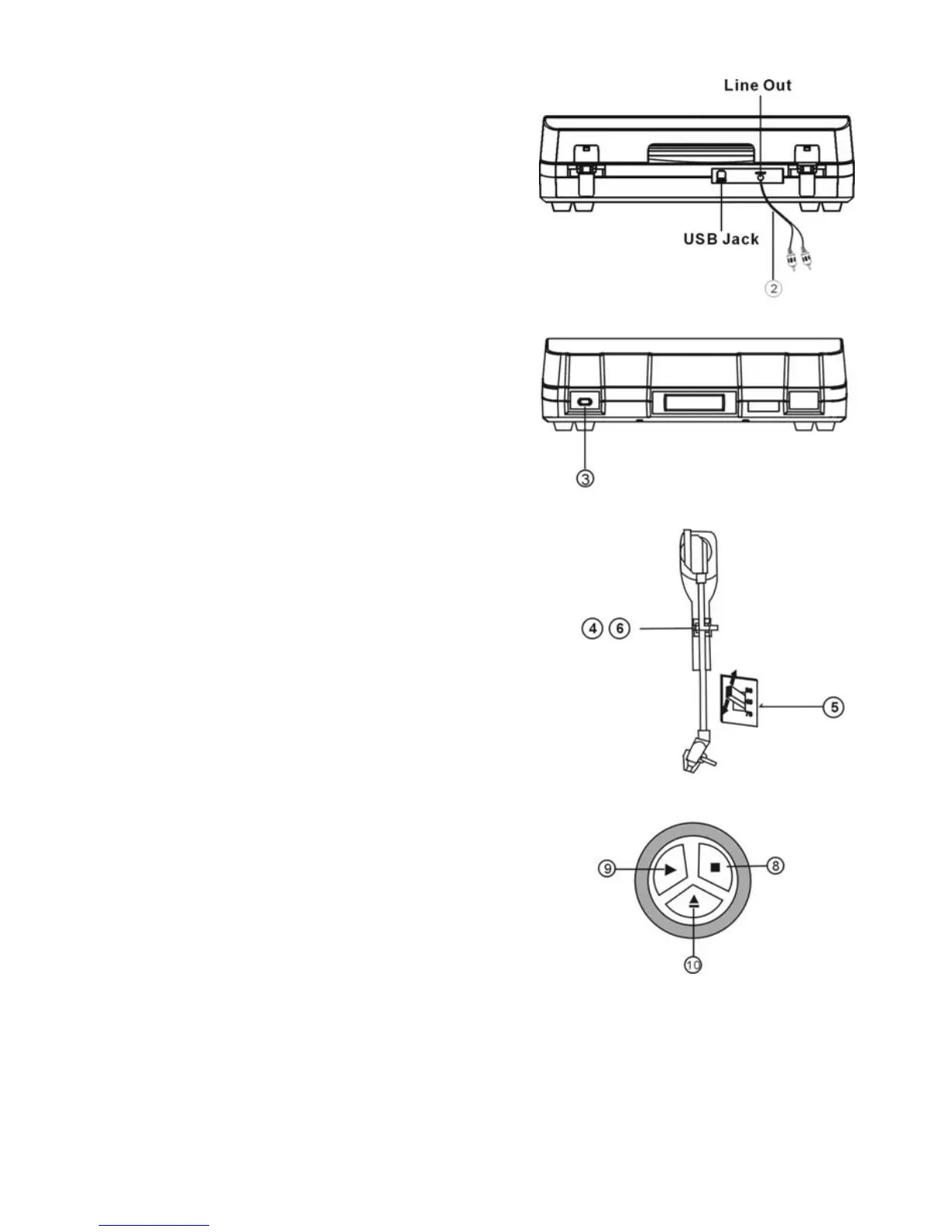
1. Connect the AC power cord to AC outlet.
The standard is 120V-60HZ.
2. Plug the 2 ends of the LINE OUT Cable
into the auxiliary input (Aux) on your TV,
home entertainment receiver or other music
system. Be sure that the red RCA Cable is
inserted into the red jack and the white RCA
Cable is inserted into the white jack.
3. Press the POWER button in the front of the unit.
Also turn the power on the unit that you connected
with this turntable.
4. Put a record onto the turntable. When playing
a 45rpm record, remember to use the adapter
packed in the polybag along with the manual.
5. Select player speed (33, 45 OR 78 rpm) according to
the record you are playing.
6. Remove the tone arm-rest holder, lift the que-lever
and move the tone arm gently to the desired position
over the record. Lower the que-lever slowly and record
will start to play.
7. Adjust the volume on your auxiliary source to control
the volume of the music.
8. Press STOP button to stop playing.
9. Press the PLAY button to continue playing.
10. When the music playing is finished and tone-arm
reaches the end of the record, the tone-arm will
return back to the arm-rest automatically. PLEASE NOTE: It could take approximately 30 seconds
for the tone-arm to return to the arm-rest. Or you can press the Eject button when playing the record
and the tone-arm will lift up from the record and automatically return to the arm-rest.
11. Remember to unplug the plug when not playing the unit for extended periods of time.


 To Next Page