20
NOTE: If do not have the fluctuant wave on the interface when recording, adjust the recording
volume as follows:
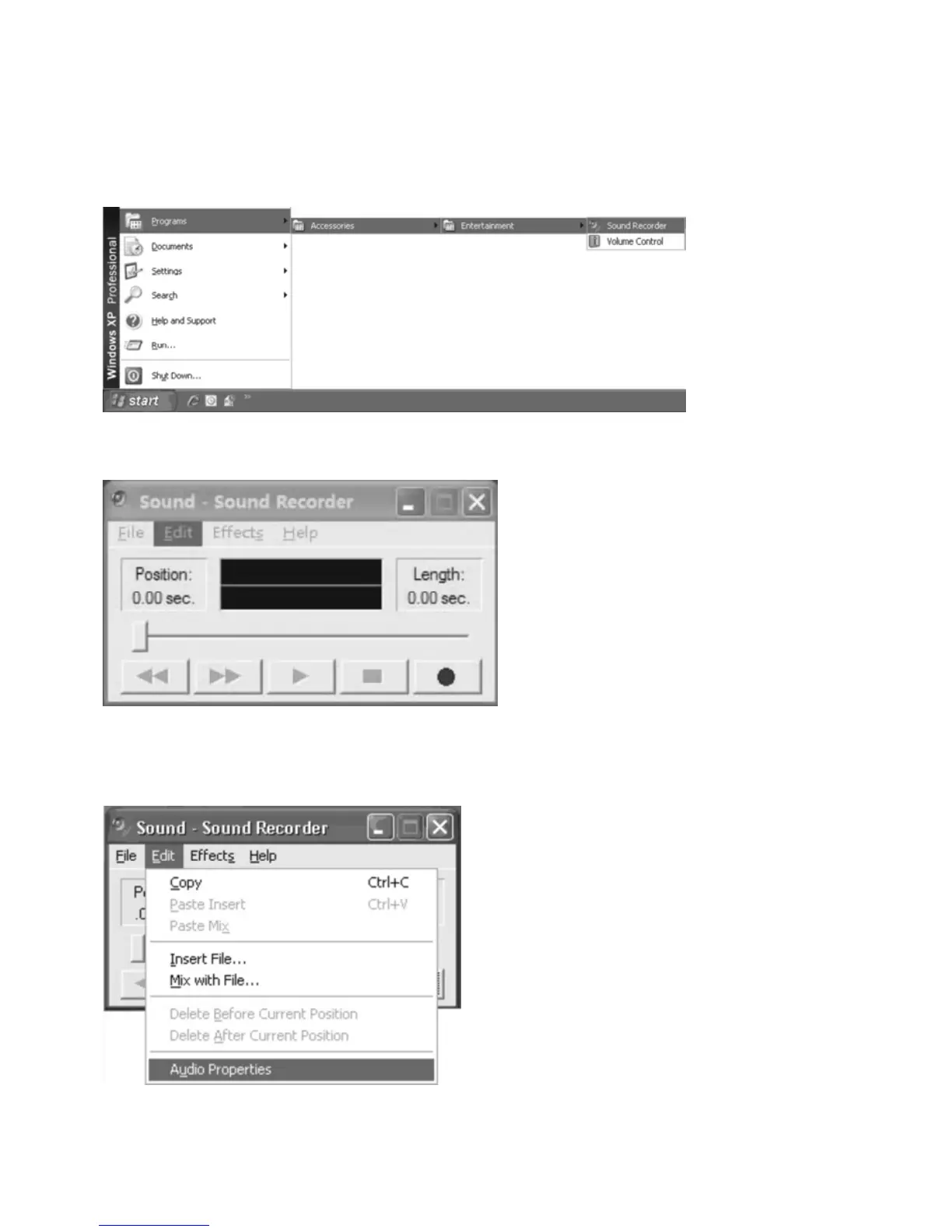
z Click the “Start” in the left corner of the computer, Select “Programs”, “Accessories”,
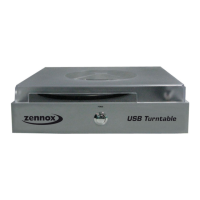
“Entertainment”, “Sound Recorder” to enter Sound Recorder interface.
z
Sound Recorder Interface
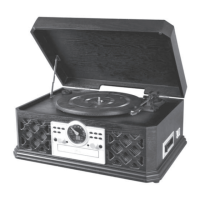
z Select Edit and click “Audio Properties” in the
“Audio Properties” interface;
* Select Edit and click “Audio Properties in the bottom of the menu to enter Audio Properties
interface:


 To Next Page