35
In the “Summary” interface, you can see the iPod information, including name, capacity, software
version, sync function, etc. The “Sync” button is used to synchronize the iPod with the iTunes.
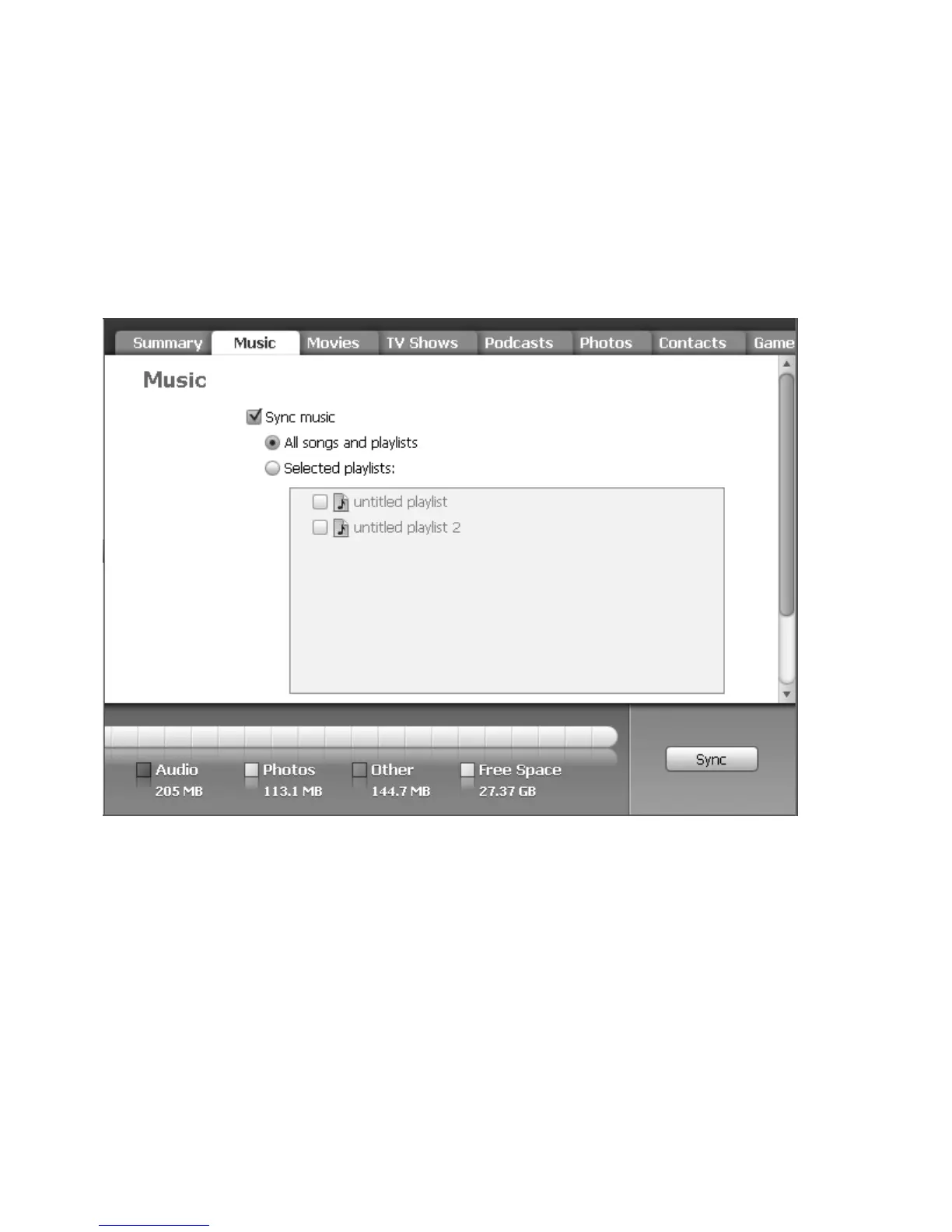
Click on “Music” to enter into interface below:
5. Music Interface
In the “Music” interface, you can sync music in the iTunes.
Even though there are many functions in this interface, only transforming music from iTunes into iPod
will be explained in this manual.
6. To add music that’s already on your computer to the iTunes:
If you have music on your computer encoded in file formats that iTunes supports, you can easily add
the music to iTunes.


 To Next Page