12
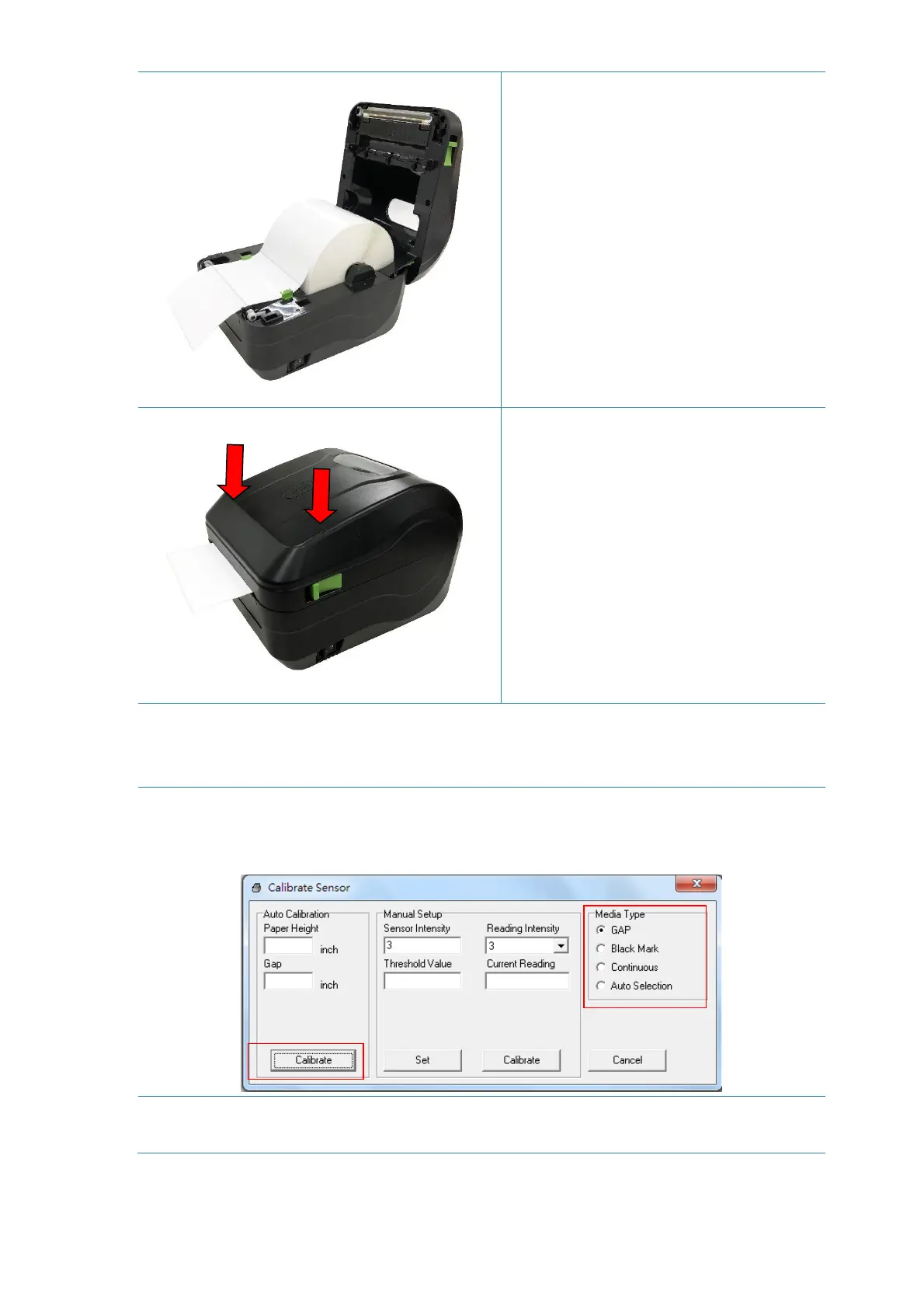
4. Feed the paper, printing side face
up, through the media sensor and
place the label leading edge across
the platen roller. Move the media
guides to fit the label width.
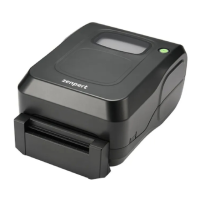
5. Close the print head mechanism
with both hands and make sure the
latches are engaged securely.
Note: The black mark and the gap sensor position are fixed. Please make sure the
gap or black mark is at the location where media gap/black mark will pass through
for sensing.
6. Use “Diagnostic Tool” to set the media sensor type and calibrate the selected
sensor. (Start the “Diagnostic tool” Select the “Printer Configuration” tab Click
the “Calibrate Sensor” button) Please refer to section 5.3.
* Please calibrate the gap/ black mark sensor when changing media.


 To Next Page