ZEUS-200S/150 ZO-OM-007
REV : 08 17 ZERONE
① Power ON / OFF Switch
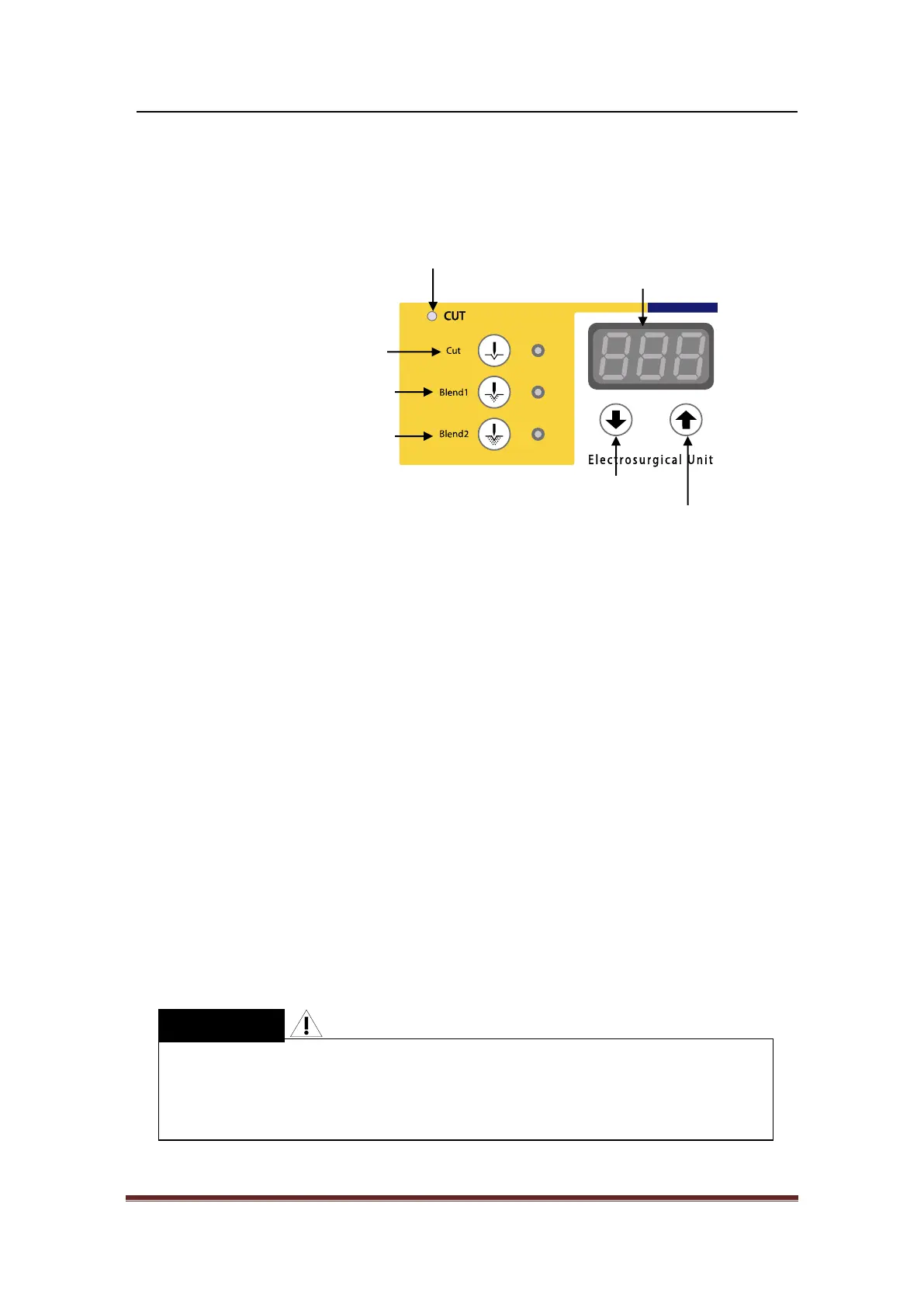
② Cutting Mode
ⓐ Pure Cutting
Select this button for the cutting with the lowest level of arrest of bleeding.
If it is selected, the lamp next to the button turns on.
ⓑ Coagulation Blend Cutting 1
Select this button for the cutting with the minimized level of arrest of bleeding.
If it is selected, the lamp next to the button turns on.
ⓒ Coagulation Blend Cutting 2
Select this button for the cutting with the intermediate level of arrest of bleeding.
If it is selected, the lamp next to the button turns on.
ⓓ Cutting Output Confirmation Lamp
When a selected cutting mode is operated, the lamp turns on.
ⓔ Cutting Output Set-Up Indicator
It displays Cutting and Blend Output as Watt.
ⓕ Cutting Output Decrease
This button decreases the output of selected mode. When this button is pressed
one time, the output get reduced by 1Watt. Continuously-pressing leads the output
to its lowest level.
ⓖ Cutting Output Increase
This button increases the output of selected mode. When this button is pressed
one time, the output get raised by 1Watt. Continuously-pressing leads the output
to its highest level.
When the LED and the display shows Cutting/Coagulation Mode you have
Chosen in Auto Mode, the power output Up/Down (Increase/Decrease) button
does not work. Select the mode, and then use the Up/Down button to
increase/decrease
the power output.



 To Next Page