INFINITY ID2 USER MANUAL, MAINTENANCE GUIDE & LOG BOOK Software Versions: PANEL 0.X – R8629 & LOOP 0.J-R624
Approved Document No: GLT2-211-7-2 PAGE 6
Issue 1.00 Author: NRPJ Date: 23/1/2013
This access level is obtained by entering the user access code 123 . Here the user can start or stop the external sounders, silence the
panel’s internal buzzer, or reset the panel. The numeric keypad is also enabled which allows the user to enter the codes for
configuration or test modes.
The user menu can also be accessed. From here the user can view various system settings, such as device labels, zone contents and
the event log.
iii. CONFIGURATION MENU – FOR INSTALLATION /COMMISSIONING ENGINEER ONLY
This access level is obtained by entering the engineering code. This is a factory preset code which cannot be changed (see
Installation Manual). Here the engineer can edit loop contents edit text labels, and several other panel set-up options.
iv. TEST MODE SELECTION – FOR TEST ENGINEER ONLY
This access level is obtained by pressing the test button, and entering the test code. This is a factory preset code which cannot be
changed. Here the user can put any of the zones or sounder circuits into test mode. Turn the keyswitch back to the off position to
exit this mode.
4.5 CHECKING THE PANELS INDICATION LEDS
Enter access code 123, then press the LED test button . All the LEDs on the front panel will light for 3 seconds, and the panel’s
internal buzzer will also sound. The LCD will show some configuration during the test
4.6 WHAT THE LEDS MEAN
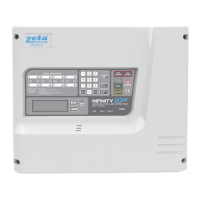
The LEDs on the Infinity ID2 give the following basic information:
Zone RED – Indicate a Zone is in Fire
Access On Yellow – Indicates Access Level 1 or 2 is operative
General Disablement Yellow – Something has been manually disabled – check LCD menu for details
General Test Yellow – An engineer has entered a unique code and the panel is in ‘Test Mode’
More Data Yellow – More information is available use Next/Prev buttons to view
Fire Red – Panel is in fire or evacuate mode
Fault Yellow – There is a fault – check LCD screen/fault logs for details
Sys Fault Yellow – There is a problem with the system, may require factory support
Power Green – Power supply to panel is healthy.
.


 To Next Page