EasyManua.ls Logo

Zhone 6218-I2 - User Manual

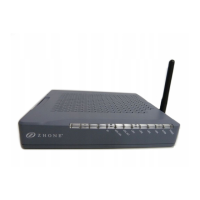
Zhone 6218-I2
94 pages
Print Icon
To Next Page IconTo Next Page
Loading...
6218-I2 Wireless Router Users Guide
November 2005
Document Part Number: 6218-A2-ZB23-10

Table of Contents

Question and Answer IconNeed help?

Do you have a question about the Zhone 6218-I2 and is the answer not in the manual?

Summary

Important Safety Instructions

Hardware Installation and PC Setup

Connecting the Hardware

Provides step-by-step instructions for physically connecting the router.

Logging in to Your Router

Guides users on accessing the router's web interface.

Quick Setup

Quick Setup with Auto-Connect Enabled

Guides through router setup using automatic connection detection.

Quick Setup with Auto-Connect Disabled

Guides through router setup without automatic connection detection.

Advanced Setup

WAN Setup

Guides on setting up WAN parameters as directed by the ISP.

Add Function - ATM PVC Configuration

Allows adding new rules for WAN interface and configuring ATM PVC.

Connection Type Screen

Selects the network protocol and encapsulation mode for the ATM PVC.

WAN Setup - Summary

Reviews WAN settings before saving and rebooting.

Local Area Network (LAN) Setup

Configures the router's IP address and Subnet Mask for the LAN.

NAT

Configures Network Address Translation settings.

Virtual Servers

Allows directing incoming WAN traffic to specific LAN IP addresses.

Port Triggering

Opens specific ports in the firewall for applications.

DMZ Host

Defines the IP address for the DMZ Host to receive forwarded packets.

Firewall

Configures security firewall settings.

IP Filtering - Outgoing

Blocks outgoing IP traffic from the LAN side to the WAN side.

IP Filtering - Incoming

Filters incoming IP traffic from the WAN side to the LAN side.

Firewall - MAC Filtering

Forwards or blocks traffic by MAC address.

Port Mapping

Maps multiple ports to a PVC and creates bridging groups.

Wireless

Configures wireless network settings.

Diagnostics

Management

Summary

Important Safety Instructions

Hardware Installation and PC Setup

Connecting the Hardware

Provides step-by-step instructions for physically connecting the router.

Logging in to Your Router

Guides users on accessing the router's web interface.

Quick Setup

Quick Setup with Auto-Connect Enabled

Guides through router setup using automatic connection detection.

Quick Setup with Auto-Connect Disabled

Guides through router setup without automatic connection detection.

Advanced Setup

WAN Setup

Guides on setting up WAN parameters as directed by the ISP.

Add Function - ATM PVC Configuration

Allows adding new rules for WAN interface and configuring ATM PVC.

Connection Type Screen

Selects the network protocol and encapsulation mode for the ATM PVC.

WAN Setup - Summary

Reviews WAN settings before saving and rebooting.

Local Area Network (LAN) Setup

Configures the router's IP address and Subnet Mask for the LAN.

NAT

Configures Network Address Translation settings.

Virtual Servers

Allows directing incoming WAN traffic to specific LAN IP addresses.

Port Triggering

Opens specific ports in the firewall for applications.

DMZ Host

Defines the IP address for the DMZ Host to receive forwarded packets.

Firewall

Configures security firewall settings.

IP Filtering - Outgoing

Blocks outgoing IP traffic from the LAN side to the WAN side.

IP Filtering - Incoming

Filters incoming IP traffic from the WAN side to the LAN side.

Firewall - MAC Filtering

Forwards or blocks traffic by MAC address.

Port Mapping

Maps multiple ports to a PVC and creates bridging groups.

Wireless

Configures wireless network settings.

Diagnostics

Management

Zhone 6218-I2 Specifications

General IconGeneral
TypeWireless Router
Frequency Band2.4 GHz
Maximum Data Rate300 Mbps
Ethernet Ports4
WAN Port1 x 10/100 Mbps
Security FeaturesWEP, WPA, WPA2
Wireless Standards802.11b/g
Ports4 LAN, 1 WAN
Antennas2 x External