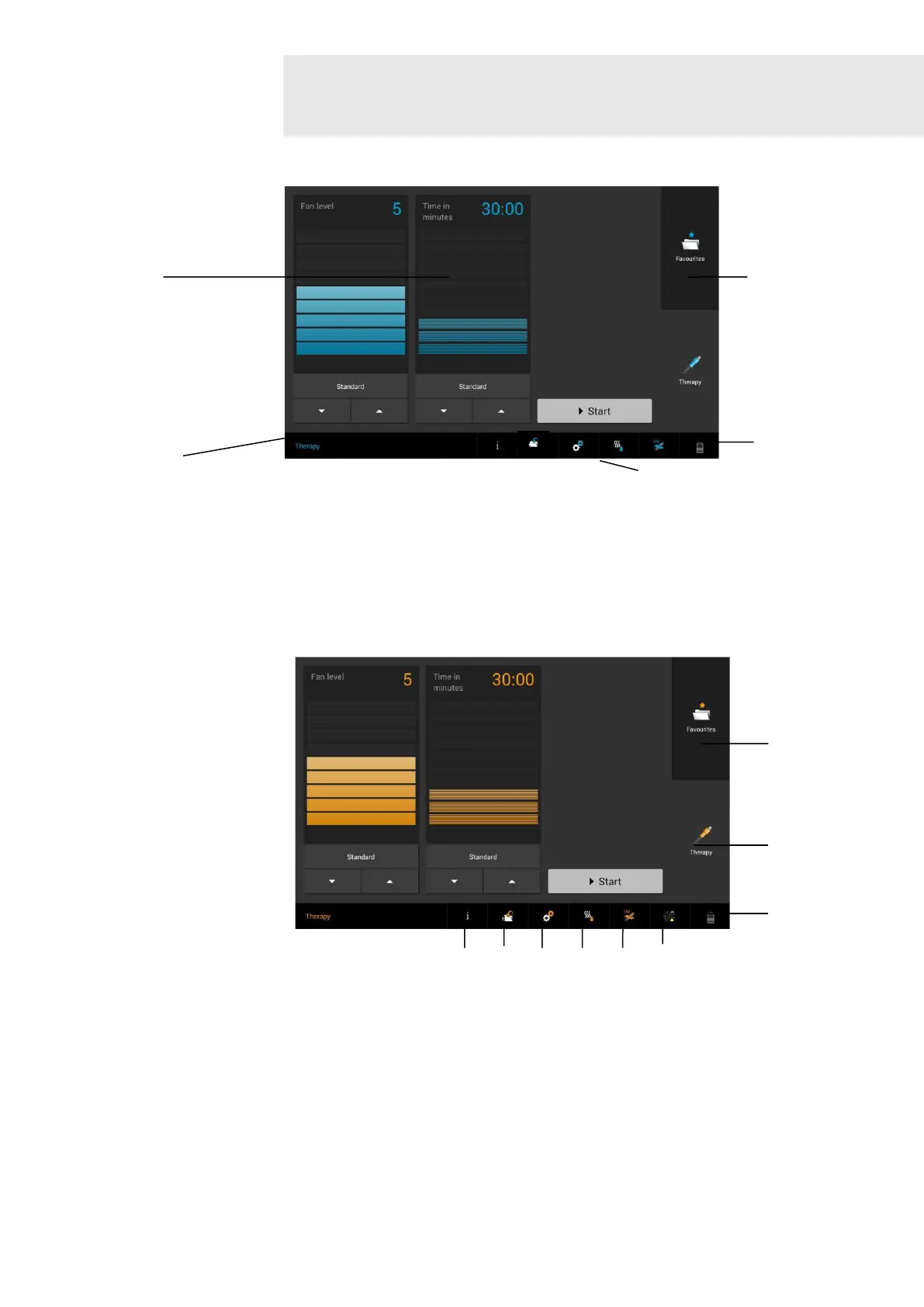
Fig. 6
Display views 27 Status bar
28 Buttons on the screen
29 Buttons in the navigation menu
30 Buttons / displays in the status bar
31 Fill level of defrost container; when defrost container is full, the icon switches to
“Empty defrost container” (see Fig. 7 (I))
Fig. 7
Navigation bar/ (A) Switches to the general information area
Status bar (B) Switches to the Memory area to save Favourites
Function description (C) Switches to the Configuration area
(D) Starts the defrosting process
(E) Status of the UV module (if this is available)
(F) Indication of dirt on air filter (only active in the case of dirt on the filter or if a
filter change is needed – in this case, “Change needed” icon)
(G) Switches to the Favourites area
(H) Switches to the therapy screen
(I) Empty defrost container


 To Next Page