MS - SOUND decoders MS440 to MS990 and MN - NON-SOUND decoders MN170 to MN340 Page 83
10 Software update and sound loading with MXULFA
Valid for MXULF SW version 0.84….
Short description for loading new software versions (update) and sound projects into a single*
)
MS de-
coder; full description see instruction manual MXULF(A).
*)
For production and maintenance work, there are also update and loading procedures for several de-
coders at the same time, which is not the subject of this brief description, nor is driving operation, etc.
IMPORTANT: Update MXULFA to the latest version by self-update!
Especially in the phase of the market launch of numerous new MS decoder types, i.e. at
least still in 2021, new versions are constantly necessary.
➢ Download new MXULF software from www.zimo.at – Update & Sound – Decoder-Update-De-
vice MXULF as .zip file, unzip the .zip file, save the two actual update files MXULF.ulf and
MXULF.bin (names may be slightly different) in the main directory (root) of a USB stick (ZIMO
stick or other stick - most of them work ...).
➢ Preparing the MXULF: Disconnect all connections, reconnect "Power" (to supplied power supply
unit or rail output of a digital centre) → LED „Power“ –green.
➢ Insert the USB stick prepared above
→ LED flashes red-green-yellow (if correct files,
i.e. .ulf and .bin, have been found on the USB stick).
➢ Start self update with button 3 (long, approx. 3 sec).
➢ Wait for message „SELF-UPDATE OK“
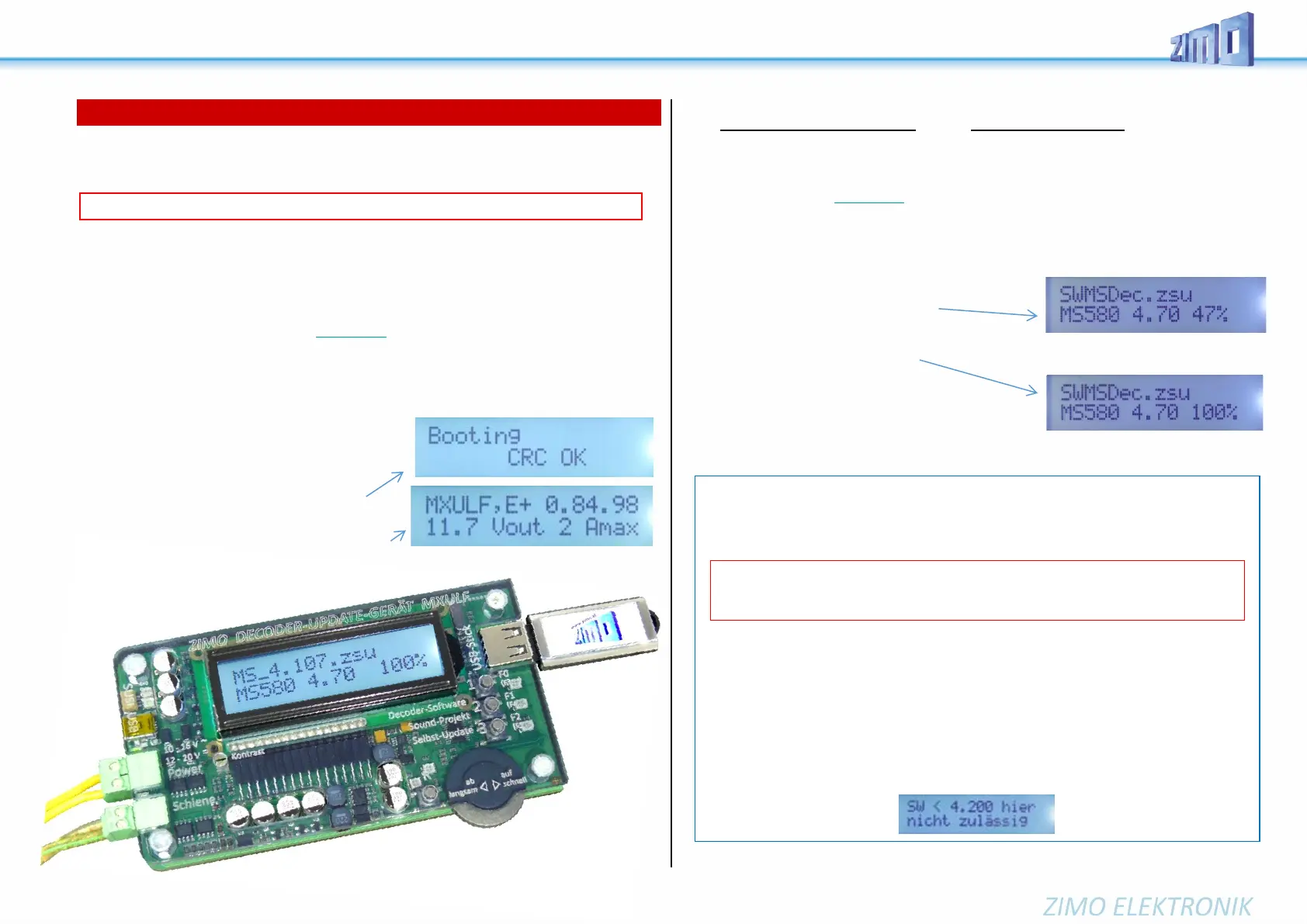
„CRC OK“ may also appear instead!
➢ Disconnect USB stick, disconnect „Power“.
➢ Reconnect „Power“ → MXULF ready for use.
Displayed is "MXULF", hardware revision: + stands for
the optimized RailCom detector hardware, no matter if it is
originally installed or by subsequent upgrade,
which was/will be offered from the
turn of the year 2021/22.
There are different types of update and loading processes, which differ from each other:
USB stick | from the computer and via track | via SUSI pins
Decoder software update via USB stick via track (decoder installed in loco)
➢ Download new decoder SW collection file -.zsu file - (ATTENTION: only valid if collection file for
MS decoders) - from www.zimo.at – Update & Sound – Update MS-Decoder and save it to the main
directory (root) of a USB stick; preferably (simpler) just this one .zsu file on the stick *
)
➢ Connect „Power“ (power supply or …) to the MXULF → LED „Power“ green.
➢ Connect the track, rerail the vehicle (only vehicle on track) → LED „Schiene“ yellow.
➢ Insert the prepaired USB stick → LED „1“ yellow (if decoder SW collection file found),
name of the decoder SW collection file shown on display.
➢ Start the decoder update with button 1
→ Search of the decoder type (mostly
only briefly displayed), then automatically continue to the
"Release memory ...", and Update with progress display..
➢ Wait for message „100 %“.
➢ Derail the vehicle, and - if the charging
or further update process is to be initiated:
➢ Confirm with button 1, then
- if the sound project is on the same USB stick, i.e.
LED „2“ yellow, start sound loading with button 2 (as below), or
- set up a new vehicle for update with identical SW version.
ATTENTION: Update of "early" MS decoders (up to SW 4.08, 1st half of 2020) NOT described
NOTE for DOWNGRADES (= update to older SW version than currently loaded):
Basically, a SW-UPDATE can be an
UPGRADE (this is the "normal" process: update to a newer version) or a DOWNGRADE (these
are exceptional cases: update to an older version).
Explanation: Due to the global "chip crisis" (shortage of electronic components) in 2021, since October 2021 an-
other component is used alternatively as sound memory, which behaves outwardly identically to the original one,
but which must be controlled differently. The decoder software has been adapted as of version 4.200 so that
both types of memory can be used.
Therefore, an UPGRADE is possible for ALL decoders (also those with the original memory device), but the
DOWNGRADE is limited to the range below or above version 4.200.
Decoders with delivery software (independent of the currently loaded software) are internally
marked (not CV-readable), which is recognized by the MXULFA and represented by a suffix "-1" when searching
(not during the update process itself), e.g. MS440-1, MS450-1, MS580-1, ...
In the event of an attempt at a non-feasible downgrade
the MXULFA shows the message "SW < 4.200 not allowed here".
ATTENTION: On decoders that have been built and delivered with SW versions 4.200 or
higher (approx. from October 2021), NO DOWNGRADE to SW versions below 4.200 can be
made; however (if delivery still higher) to 4.200 and higher.



 To Next Page