10 806393 v1.08 09.19 Micro Install Instructions
1
Installation instructions
Step 2 – Ventilation
Cool air IN
Warm air
OUT
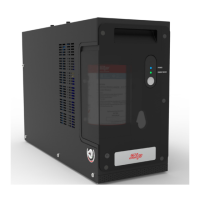
Fit the silicone door buffers to the
inside edge of the cupboard door to
provide an air space. The top and front
of the command centre must remain
accessible for servicing.
2
(Boiling/Chilled models) Install the cupboard floor inlet vent
(supplied) in the cupboard where the command centre is located.
Refer to the instructions supplied with the vent kit.
If cupboard temperature rises above 35°C
The outlet vent may be installed in the door or wall. If additional
ventilation is required, please contact your local service centre for
more details.
4
3
Outlet vent may
be installed, if
required, in the
door or wall.
IMPORTANT: Allow a minimum clearance envelope of
50mm either side, and 200mm above the command
centre. Proper air circulation must be provided for the
system to operate correctly.


 To Next Page