27
ASSEMBLY MANUAL
CAUTION! Follow the steps below during the assembly and use tools supplied with the product.
Prepare sufficient space for the assembly operation.
It is advisable to assemble the product with another person because of the weight of some elements.
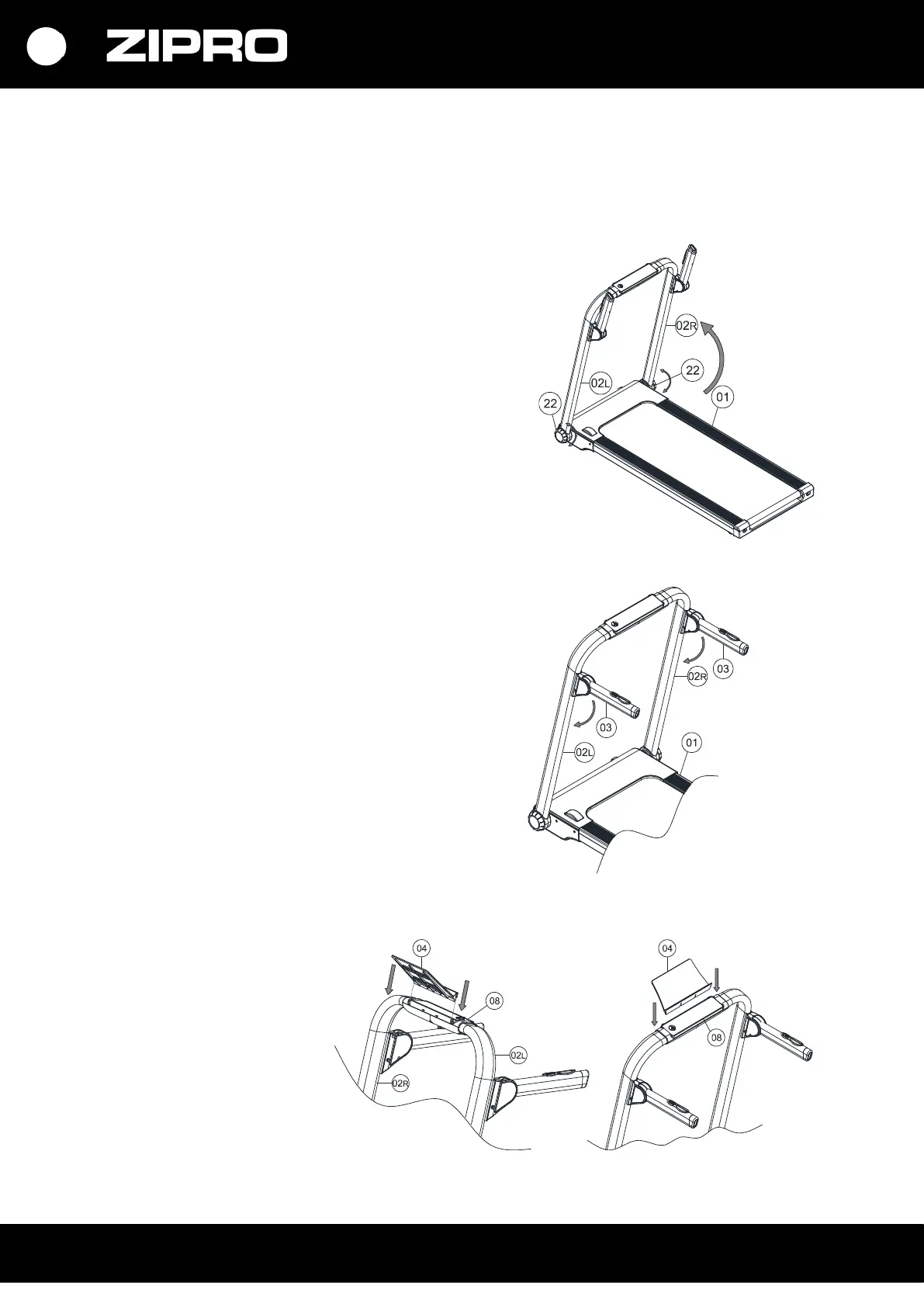
Step 1
Open the box, remove all the parts and place them
horizontally on the floor.
Remove the column folding knobs (22) by turning them
anti-clockwise, and then place the columns upright (02 L/R)
as shown in the figure. After the columns are vertical, turn
the column folding knobs (22) until you feel resistance.
Step 2
Lower the handrails (03) to the horizontal position as in
the figure.
Step 3
Install the mobile device stand
(04) in the upper display cover
(08) as shown in the figure:



 To Next Page