___ ZipSpin
• The unit must not be placed in an area with direct sunlight, excessive dust, mechanical vibration
or shock.
Chapter 4. System Overview
System Overview
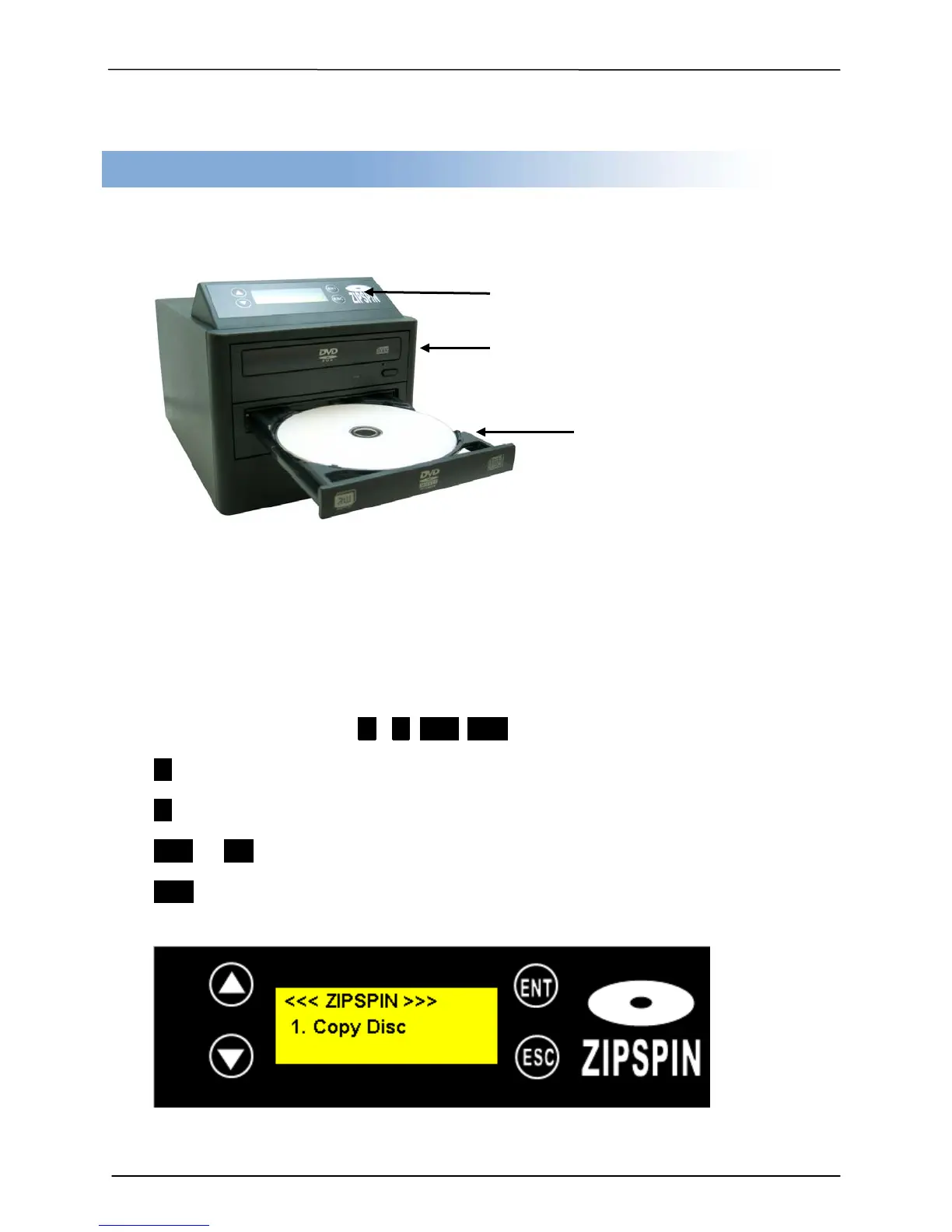
Control Panel Overview
There are 4 control buttons: ENT ESC
UP Button: move selection up or left in the system menu to select target function
Down Button: move selection down or right in the system menu to select target function
ENT or OK Button: enter, execute the function selected
ESC Escape Button: Cancel, Go back to previous function
Reader Drive (for source disc)
Writer Drive (for blank disc)


 To Next Page