EasyManua.ls Logo

Zircon LEAK ALERT X - User Manual

Zircon LEAK ALERT X
9 pages
Print Icon
To Next Page IconTo Next Page
Loading...
LEAK ALERT
X
Smart Water Detector
Detector Inteligente de Agua
EN
ENGLISH
ES
ESPAÑOL
www.zircon.com
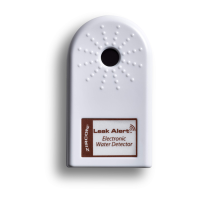
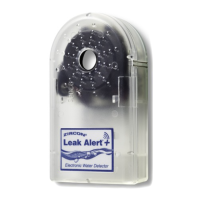
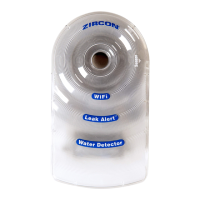
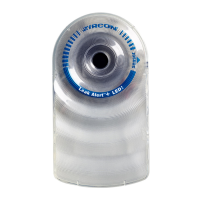
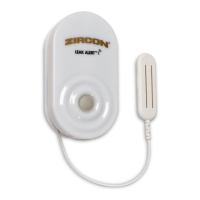
When the Zircon
®
Leak Alert
X Smart Water
Detector detects a leak, it sounds a loud (84 dB) alarm,
LEDs flash, and an email is sent via Wi-Fi to one
or more email addresses.
NOTE: The detector will still function without
Wi-Fi connectivity, but will be limited to audio
and visual alerts within hearing or viewing
range respectively.
Cuando el Detector Inteligente de Agua Zircon
®
Leak Alert
X detecta una fuga, suena una alarma fuerte (84 dB) los LEDs
parpadean y se envía un correo electrónico a través de Wi-Fi a
una o más direcciones de correo electrónico.
NOTA: El detector seguirá funcionando aun sin
conexión Wi-Fi, pero se limitara a alertas de
audio y visuales dentro del rango auditivo o
visual respectivamente.

Questions and Answers

  • C
    Chad MilesJul 28, 2025
    Why is my Zircon LEAK ALERT X Security Sensors giving false alarms?
    • D
      Deborah CarterJul 29, 2025
      False alarms from your Zircon Security Sensors can occur for several reasons: * The battery voltage may be low. Replace it with a new 3V lithium battery (CR123A or CR17345). * The Sensing Contacts might be on a conductive surface, like metal. Place a thin piece of paper or plastic between the contacts and the metal surface. * Moisture may have collected on the Sensing Contacts. Wipe them dry.
  • D
    Derek FieldsAug 6, 2025
    What to do if my Zircon Security Sensors detector does not sound alarm when touching water?
    • S
      Samuel MosleyAug 6, 2025
      If your Zircon Security Sensors detector isn't alarming when it should, here's what to check: 1. Ensure the Sensing Contacts are flat on the surface where water should be detected. If they are up, not touching the surface, the alarm won't sound. 2. The battery may be dead. Try replacing it. 3. Water may have entered the unit. Open the detector, remove the battery, allow it to dry completely, then replace/reposition the battery.
  • T
    tami91Aug 13, 2025
    Why can't I load 192.168.4.1 in device browser window for Zircon LEAK ALERT X?
    • S
      Shane MurphyAug 13, 2025
      If you're having trouble loading 192.168.4.1 for your Zircon Security Sensors, it could be due to a couple of reasons: * You may have typed the address incorrectly. Retype 192.168.4.1 into the address bar, carefully verifying each number. Then, continue with the setup. * The device might have disconnected from the LeakAlertX network. Reconnect the device to the detector, following the steps on 'LINK DETECTOR TO WI-FI'.
  • D
    Derek BakerNov 19, 2025
    How to fix Zircon LEAK ALERT X Security Sensors notifications not received?
    • J
      Jeremy JohnsonNov 19, 2025
      If you are not receiving notifications from your Zircon Security Sensors, consider the following: * There may be incorrect user information. Reconnect to the detector’s setup portal and correct/update/resubmit user information, following the steps on 'LINK DETECTOR TO WI-FI.' * The device may have disconnected from the detector (LeakAlertX network) before information was submitted. Reconnect to the detector’s setup portal and correct/ update/resubmit user information, following the steps on 'LINK DETECTOR TO WI-FI.' * The Wi-Fi router may be offline. Reconnect the device to the detector, following the steps on 'LINK DETECTOR TO WI-FI.' * The detector might be too far from the router, or a metal object could be interfering with the signal. Check for a software update on the detecto...

Summary

Zircon Leak Alert X Smart Water Detector Overview

Smart Water Detector Functionality

Detects leaks, sounds alarm, flashes LEDs, and sends email notifications via Wi-Fi.

How the Zircon Leak Alert X Works

Detector Activation Events

Activated by button press, water contact, or optional email log.

Setup Overview and Instructions

Essential Setup Steps

Link to Wi-Fi, set up detector, and place in desired location for leak detection.

Installing the Battery

Battery Compartment Access

Remove battery door, pull tab from battery, and secure it properly.

Wi-Fi Configuration

Linking to Your Wi-Fi Network

Connect your device to the LeakAlertX network and select your Wi-Fi router.

Setting Detector Name and Time

Name the detector by location and enter your local time for notifications.

Contact and Notification Setup

Adding Email Addresses

Enter your name and up to five email addresses for alert notifications.

Testing and Placement

Testing the Detector

Verify functionality by wetting contacts and checking for alerts and emails.

Detector Placement Guidance

Position the unit on a surface where water can contact both sensing contacts.

Software Updates and Registration

Updating Detector Software

Access the interface to check for and install new software versions.

Registering Your Detector

Register online for product updates, helpful videos, and new software notifications.

Troubleshooting and Warranty

Troubleshooting Common Issues

Solutions for false alarms, no alarm, or connectivity problems.

Limited Lifetime Warranty Details

Information on warranty coverage, exclusions, and claims process.

Zircon LEAK ALERT X Specifications

General IconGeneral
BrandZircon
ModelLEAK ALERT X
CategorySecurity Sensors
LanguageEnglish

Related product manuals