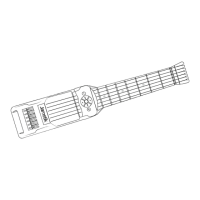
Need help?
Do you have a question about the Zivix Jamstik Studio and is the answer not in the manual?
Warnings and guidelines for using Lithium-Ion batteries safely, including handling, storage, and charging.
Explains how to tune the Jamstik Studio and Classic models for optimal MIDI performance.
Guides on adjusting MIDI pickup height for optimal performance and personal preference.
Instructions for charging the Jamstik via USB and powering it on/off.
Recommends keeping firmware updated via Jamstik Software for best performance.
Details connecting the Jamstik to Mac/PC via USB and Bluetooth MIDI on Mac.
Explains connecting via Bluetooth MIDI using the Jamstik mobile app for iOS/Android.
Information on changing MIDI modes like Single Channel, Multi-Channel, and MPE.
Explains MIDI modes (MPE, Multi-Channel, Single Channel) and their channel assignments.
Adjusts the pitch bend values sent by Jamstik to match third-party devices.
Adjusts per-string sensitivity (1-10) to improve note detection accuracy.
Sets the expected tuning for note detection, matching the Jamstik's actual tuning.
 General
| Number of Frets | 24 |
|---|---|
| Fretboard | Rosewood |
| Battery | Rechargeable Lithium-ion |
| Connectivity | Bluetooth, USB |
| Power | Rechargeable Battery |
| Compatibility | iOS, Android, macOS, Windows |
| Strings | 6 |
| Included Software | Jamstik Creator |


 To Next Page