User Manual
5
Delete Fingerprints
6
Low Power Alert and Recharge
Version: 1.1
Date: Jul 2019
Padloc k
ZK Building, Wuhe Road, Gangtou, Bantian, Buji Town,
Longgang District, Shenzhen China 518129
Tel: +86 755-89602345
Fax: +86 755-89602394
www.zkteco.com
Copyright©2019 ZKTECO CO., LTD. All rights reserved.
5
After unlocking the lock, verify with administrator
fingerprint and keep pressing on the sensor until
the blinking green LED turns to bluish red.
Now move the finger from the sensor, and then
press again with administrator fingerprint on the
sensor until the blinking red LED turns to green,
which indicates all the fingerprints are deleted.
If the system detects low power, the yellow LED will blink
when you touch the sensor. You can still open the lock for
about 50 times when the yellow LED blinks.
If the battery is totally discharged, you need to link the
lock to a charge pal or other portable power supply
before trying to unlock it. After unlocking, recharge the
lock.
Note: Do not move the finger from the sensor until the red LED blinks, otherwise the deletion will interrupt.
For charging remove the silicone USB plug, then insert
the USB cable and link it to any PC/tablet or charge pal.
The red LED will be blinking while charging. After about
60 minutes of charging, the green LED will light up, which
indicates the completion of charging.

 Need help?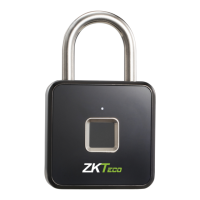

 To Next Page
 General