VR10 Pro User Manual
Page | 17 Copyright©2021 ZKTECO CO., LTD. All rights reserved.
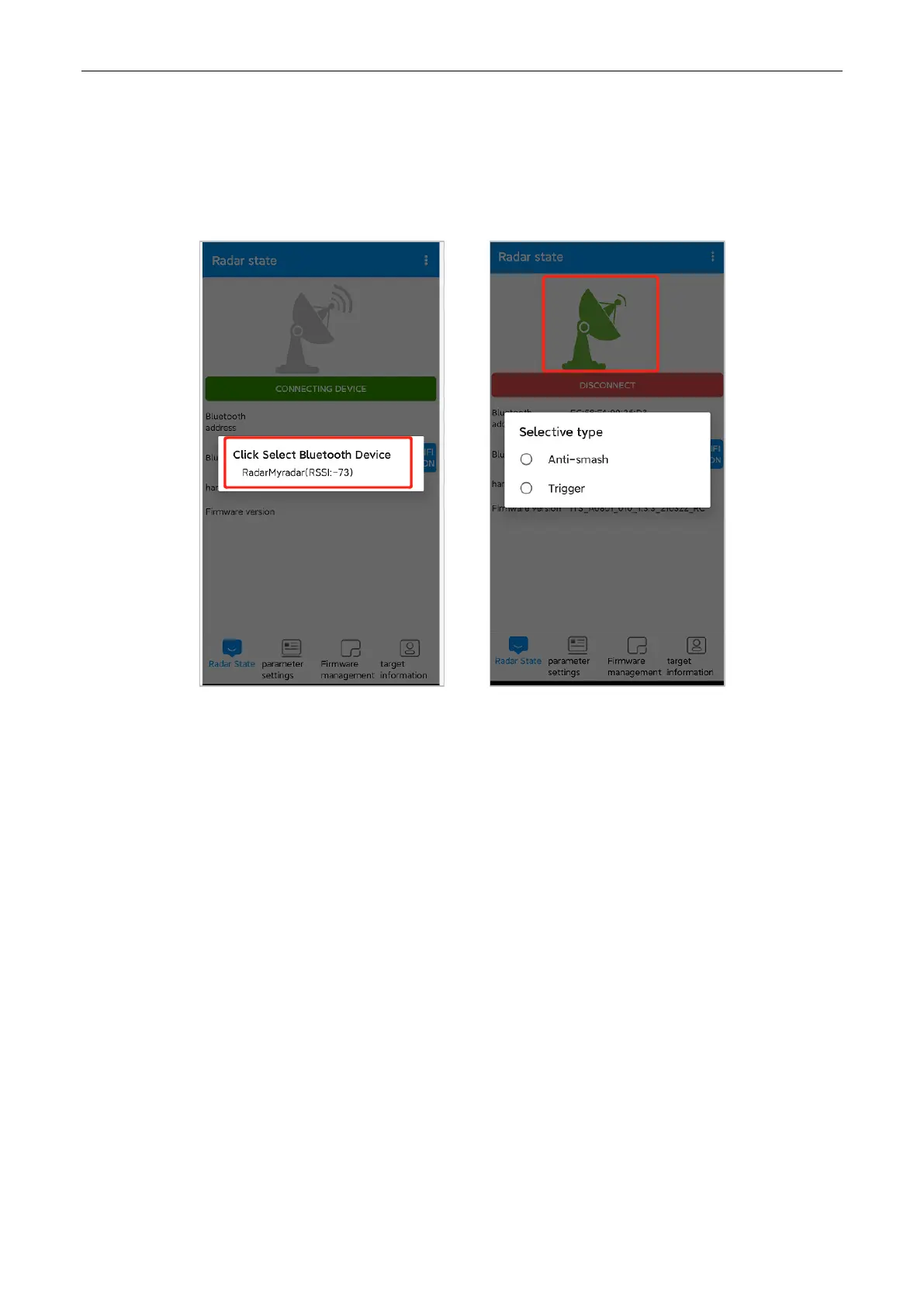
3. Choose the Bluetooth and enter the password "88888888" to connect it. Once the Bluetooth
connected, the icon will turn green. The name of Bluetooth can also be changed and Bluetooth can be
disconnected.
Set Parameter for Radar 8.3
Enter the parameter setting interface of anti-smash mode, select the straight boom gate type first, as the
pictures shown below.


 To Next Page