VR10 Pro User Manual
Page | 22 Copyright©2021 ZKTECO CO., LTD. All rights reserved.
9 Debug Radar with Software
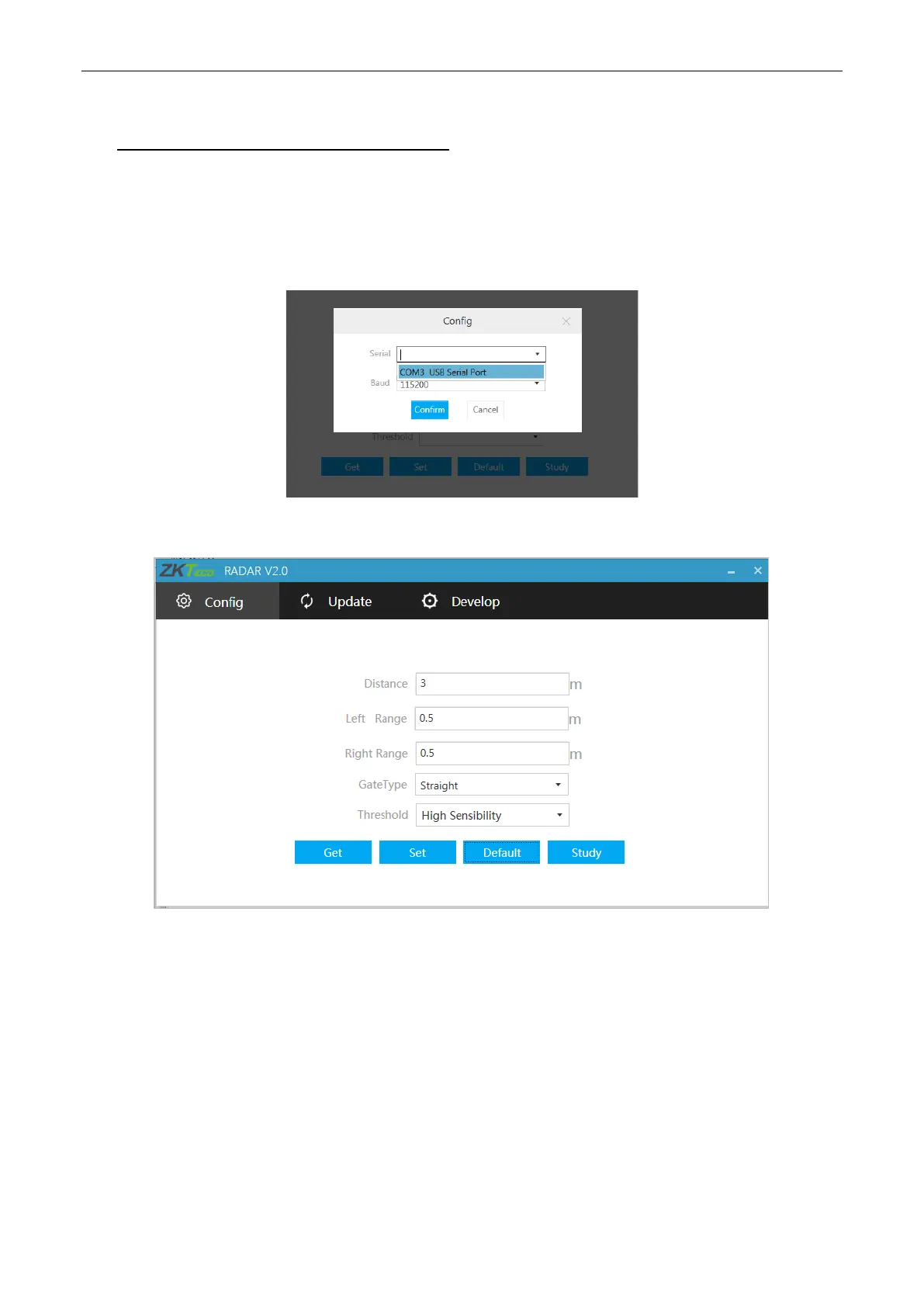
1. Select the port
Insert the 485 module on the host computer to establish a connection with the radar module. Find the
port number in the computer's device manager list and select it.
2. Set the detection area, boom type, and sensitivity (the high sensibility by default).
As shown in the figure above:
Distance: Set the radar monitoring distance.
Left Range, Right Range: Set the radar monitoring left range and right range.
Gate Type: Set the boom type of the barrier.
Threshold: Set the detection sensibility.


 To Next Page