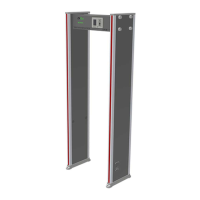
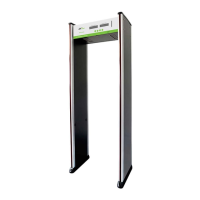
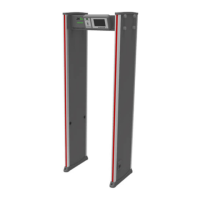
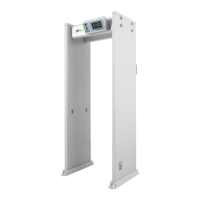
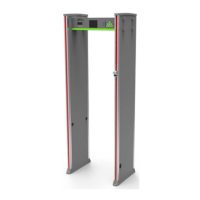
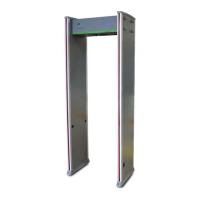
The ZK-D1065L is a walk-through metal detector designed for security screening in various access points such as prisons, courthouses, and airports. It is highly sensitive to magnetic metals and offers high detection capability for concealed metal weapons like knives and guns. The device provides high-speed detection, making its screening capacity significantly larger compared to hand-held metal detectors.
Important Technical Specifications:
- Power: 100V to 240V
- Operating Temperature: -20°C to 55°C
- Operating Frequency: 5.7KHz to 9.6KHz
- Dimensions (External): 2236(H)x827(W)x380(D)mm
- Dimensions (Channel): 1990(H)x690(W)x300(D)mm
- Weight: 33kg
Usage Features:
The ZK-D1065L incorporates several features to enhance its usability and performance:
- Accurate Positioning: It features 6 overlapping detection zones with bilateral transmit and receive technology. These zones accurately detect objects and intuitively display their target location.
- Micro Processor Technology: A Microprocessor Control Unit generates electromagnetic waves for scanning, allowing for precise control of the scanning rate.
- Adjustable Sensitivity: The detection zones offer 100 sensitivity levels (1 to 100). This allows users to preset metal sizes, effectively excluding false alarms from small personal items like coins, keys, jewelry, and belt buckles.
- Digital Pulse Technology: The detector is equipped with a digital signal processing and filtering system, providing excellent anti-interference capabilities.
- Count Statistics: The device accurately displays the number of pedestrians who have passed through and the total alarm count.
- Harmless Operation: The detector is designed to be harmless to individuals with heart pacemakers, pregnant women, and does not affect magnetic floppy disks or recording tapes.
- Waterproof Foot Cover: The foot cover is waterproof, providing firm device fixation and protection against water damage.
- Safety: Both the Control Unit case and the panels are waterproof. The cover is made of PVC synthetic material, contributing to the detector's waterproof, fireproof, and shockproof properties.
- Easy Installation: The integrated design allows for effortless installation or disassembly within 15 minutes.
- Control Panel: The control panel includes an LCD for displaying pass count, alarm count, password settings, and other information. It also features ESC (to discard settings/exit menu), decrement and increment keys for parameter adjustment, and an OK button to open the menu, save settings, and exit.
- Detection Zones: The detector has six unique sets of precise positioning LEDs evenly distributed on the door panels, corresponding to 6 detection zones from bottom to top. When metal composition reaches or exceeds a preset value, the red LED glows, and an alarm is triggered. If multiple targets are detected, the LEDs at each target location will glow.
- Infrared Sensor: After power-on, the infrared sensors prevent false alarms when no person or object passes through, ensuring accurate pedestrian and alarm counts.
Operational Procedure:
After connecting power and a 2-second initialization, the device is ready for operation. Pressing the OK button on the Control panel opens the main menu, which includes options for:
- Sensitivity: Adjusts the sensitivity level for each detection zone (1-100). Higher values mean higher sensitivity.
- Channel: Sets the operating frequency channel (1-40, default 14) to avoid interference, especially in parallel installations.
- Buzzer: Turns the alarm buzzer ON or OFF.
- Alarm Time: Sets the duration of the alarm (e.g., 0.5s to 10.0s, default 1s).
- Date & Time: Allows setting the current date and time.
- Sens Range: Sets the overall sensitivity intensity to High, Medium, or Low for all zones.
- Application: Allows selection of the real-time application area (e.g., Airport, Conference, Customs, Train Station, Port, Motor Station, Prison, Police Office, Detention, School).
- Storage: Manages data storage, allowing users to save or not save data, and clear pedestrian or alarm counts.
- Password: Configures a login password for security.
- Restore: Restores the detector to its factory default settings.
- About: Provides information about the device.
Maintenance Features:
- Warranty Card: Each device comes with a warranty card for free maintenance or repair within the warranty period. The card must be kept safe and presented for service. It is invalid without the designated dealer's signature or stamp, or if details in the three guarantees column and acknowledgment of receipt are incorrect or incomplete. Lost cards will not be reissued.
Installation Site Requirements:
- Stability: The detector must be installed in a stable and smooth area, firmly secured.
- Environment: Suitable for both indoor and outdoor use (with canopy for rain protection outdoors). Avoid high temperatures and wet environments.
- Clearance: Maintain a 50cm distance from stationary metallic items (e.g., aluminum alloy/stainless-steel windows, doors) to prevent false alarms. Portable metallic objects must be kept at least 2 meters away.
- Floor: The installation floor must be flat and fixed to prevent false alarms from pedestrian movement.
- Electromagnetic Interference: Due to bilateral receiver technology, the detector should be installed at least 1 meter away from sources of electromagnetic radiation or interference (e.g., electrical control boxes, radiofrequency equipment, interphones, high power motors, power transformers, AC power lines, thyristor control circuits, engines). The exact distance may vary based on the environment.
- Parallel Installation: When installing two detectors parallel, the distance between them must be greater than 50cm. For three parallel detectors, the distance between each must be greater than 80cm, and they must operate at different frequencies to avoid interference.
Instructions to Pedestrians:
- A line should be drawn 50cm from the detector, and pedestrians must pass one-by-one.
- Pedestrians should walk at a normal speed, avoiding crowds, rushing, or slow walking.
- All carried metal objects (keys, mobile phones, watches, coins, etc.) must be removed and placed on a security chute or table before passing through the detector, to be retrieved afterward.
- If an alarm sounds, it indicates hidden metal objects, and security personnel can use a hand-held metal detector to pinpoint the location based on the alarm zones.
Troubleshooting:
- Sensor Not Counting: Check probe cable connections to door panels, look for infrared interference (surveillance systems, remote controls, sunlight), and replace the infrared sensor if issues persist.
- False Alarms:
- Check the installation environment for movable or stationary large metal objects within 1.5 meters and relocate the device if necessary.
- Ensure the installation location is stable and free from physical movements.
- If environmental factors are ruled out, reduce the sensitivity level of all zones.
- Change the operating frequency.
- Change the installation location.

 Need help?
 General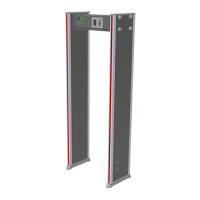

 To Next Page