Need help?
Do you have a question about the ZKTeco ZK-D2180S and is the answer not in the manual?
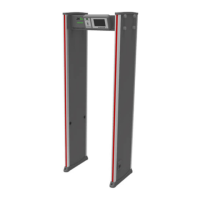
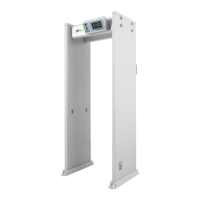
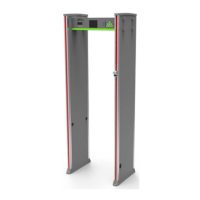
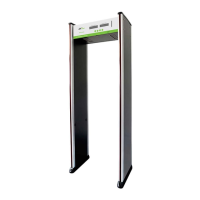
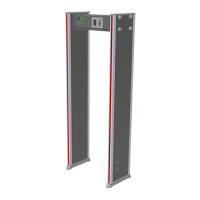
The ZK-D2180S is a walk-through metal detector designed for security screening, primarily used to detect metal items hidden on a person's body. When individuals pass through the device carrying metal objects exceeding preset parameters, the device immediately triggers an alarm and displays the approximate location of the metal, enabling security personnel to quickly identify individuals with prohibited metal articles.
The device is versatile, suitable for both indoor and outdoor use. For outdoor deployment, it is recommended to use a canopy to protect it from rain. Proper installation is crucial for optimal performance; the detector should be placed on a smooth and stable surface, ensuring it is not touched during security checks to prevent false alarms. It is important to maintain a clear area around the detector, free from large metal objects or strong magnetic fields, within a 2-meter radius. The detector probe should not be installed in high-temperature or wet environments. Upon startup, the machine requires a 1-minute self-diagnosis period before operation. Disassembly of control units should only be performed by professional technicians. Correct wire connections must be ensured according to the user manual before device operation.
For installation, the device should be kept at least 50cm away from stationary or fixed bulk metal items like aluminum alloy or stainless steel doors and windows, as these can affect sensitivity and cause false alarms. Movable large metal items should be kept approximately 2 meters away to avoid false alarms. The floor where the device is installed must be flat and fixed to prevent false alarms caused by people walking or moving, or by shaking metal objects. Due to its bilateral transceiver technology, the device is sensitive to electromagnetic interference and radiation sources. It is recommended to keep such sources, including electrical control boxes, radio equipment, interphones, high-power motors, power transformers, AC power lines, thyristor control circuits (high-power switching power supplies, inverter welders), engines, and motors, at least 1 meter away. When installing multiple devices side-by-side, the distance between two walk-through metal detectors should not be less than 50cm, and their operating frequencies must be different. Specific distance parameters and work frequency selection should be adjusted based on the actual environment.
The ZK-D2180S offers accurate positioning with 18 overlapping network detection zones, utilizing bilateral transmit and receive technology to precisely locate detected objects and intuitively display their position. It incorporates Micro Processor Technology, where a microcomputer control circuit generates scanning electromagnetic waves, allowing for precise control of the scanning rate. The sensitivity is adjustable, with each detection zone offering 256 sensitivity levels (0 to 255). This allows for the exclusion of small metal items like coins, keys, jewelry, and belt buckles by presetting the metal size. Digital Pulse Technology is employed for digital signal processing and filtering, providing excellent anti-interference capabilities. For security, the device features Password Protection, allowing only authorized personnel with the correct four-digit password to change sensitivity and other parameters. The password can be set by the user. The device also includes Count Statistics for tracking pass counts and alarm counts. It is designed to be harmless to the human body, posing no risk to individuals with heart pacemakers, pregnant women, magnetic floppy disks, or recording tapes. The power supply is securely located on top of the control box, making it waterproof. Additionally, it features a Waterproof Foot Cover that not only fixes the device but also provides waterproofing. The system boasts an integrated design, making it easy to install or disassemble within approximately 15 minutes.
The device's operation begins by connecting the power supply, after which it enters working status within 2 seconds. The LCD display shows pass count, alarm count, sensitivity settings, and other information. Alarm zones are indicated by eighteen unique sets of precise positioning LEDs evenly distributed on the door panels, representing 18 detection zones from bottom (zone 1-3) to top (zone 16-18). If a metal object reaches or exceeds the preset value, a red LED alarm is triggered. In cases of multiple alarm targets, the LEDs corresponding to each target location will illuminate, accompanied by an audible alarm (unless muted). Infrared sensors are integrated to prevent false alarms when no person or object passes through the device, and they accurately count passengers and alarm times.
To access the menu for setting product parameters, the "SELECT" button is pressed, followed by password input. Once in the menu, users can adjust sensitivity, alarm time, quick settings, frequency, and password. The menu interface is accessible only with the correct password; the initial password is "1234". For new devices, simply pressing "SELECT" and then "ENTER" may suffice. If the password is forgotten, a universal password "8888" can be used to reset it. Sensitivity can be adjusted for individual zones (e.g., zone 1-3, zone 4-6, etc.) by pressing "SETUP" to change values and "ENTER" to save settings and return to the main menu. Alarm delay can be set to 1, 2, or 3 seconds. Quick settings offer predefined parameters for various environments such as Electronics Factory, Hardware Factory, Cable Factory, Court, Airport, Gymnasium, and Night Club. The operating frequency can also be changed (frequencies 1-12 are available). The password can be changed from the main menu by selecting "CHANGE PASSWORD" and following the prompts. After making any changes, pressing "ENTER" saves the settings and returns to the main menu. To exit the menu, "EXIT" is selected.
For optimal detection, the device must be in a stable state. This can be verified by ensuring the device does not shake for 1 minute after power-on and does not alarm when a tester without metal items walks through. To exclude small portable metal objects like rings, keys, belt buckles, and shoes, a small metal item (e.g., keys) is used as a sample. Sensitivity is gradually increased until the detector alarms when the sample is carried through. Then, sensitivity is slightly decreased until the device no longer alarms with the sample, ensuring that only larger metal objects trigger an alarm. If sensitivity needs to be decreased in a specific zone, only that zone's sensitivity is adjusted.
Traffic regulations for using the device include drawing a waiting line 50cm away to ensure passengers pass one by one. Before passing through, individuals should remove all carried metal objects (keys, mobile phones, watches, coins, etc.) and place them on a security chute or table, retrieving them after the check. Passengers should walk through at a normal speed, without crowding, rushing, or intentionally delaying, and should not crash into the door panel. If the device alarms, it indicates hidden metal objects on the person, and a security guard can use a hand-held metal detector to pinpoint the exact location based on the alarm zones.
Brief maintenance guidelines are provided to address common issues. If the infrared sensor fails to count, first check if the probe cables are properly connected to the door panels. Next, inspect for any infrared interferences nearby, such as infrared surveillance systems, infrared remote controls (when buttons are pressed), or outdoor sunlight. If both checks are clear, the infrared sensor may need replacement.
For false alarms, after installation, if the device frequently triggers alarms, the installation environment should be checked first. Ensure there are no movable or stationary large metal objects within 1.5 meters. If such objects are present, attempt to move the device away from them. Additionally, confirm that the installation location is not subject to wind-induced shaking. If environmental factors are not the cause, reducing the sensitivity of all zones may resolve the issue. Changing the operating frequency or the installation location are also suggested troubleshooting steps for persistent false alarms.
 General
| Detection Zones | 18 zones |
|---|---|
| Working Environment | Indoor |
| Detection Height | 2000 mm |
| Detection Width | 700 mm |
| Alarm Modes | Audible and Visual Alarm |
| Detection Technology | Digital pulse technology |
| Operating Frequency | 4 KHz-8 KHz |
| Power Supply | AC 100V-240V, 50/60Hz |
| External Dimensions | 2220 mm x 820 mm x 522 mm |
| Internal Dimensions | 2000 mm x 700 mm x 522 mm |
| Operating Humidity | ≤95% (Non-condensing) |
| Dimensions | 2220 mm x 820 mm x 522 mm |
| Operating Temperature | -20°C to 50°C |

 To Next Page