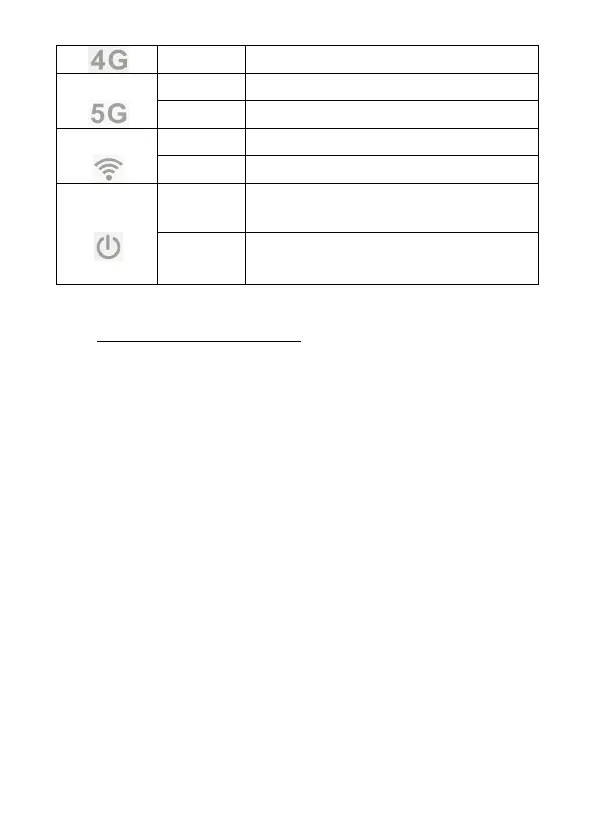
The external power is normal, and the
data terminal is turned on
The external power is abnormal, and
the data terminal is shut down
4. Access To The Internet
The data terminal supports RJ45 standard network cable or
WiFi connection to the computer without any driver. Support
Windows XP, Windows 7, Windows 8, MAC OS, Linux, Android and
other operating systems.
4.1 Data Terminal Preparation
Before accessing the internet, please check the following
options:
● Whether the SIM card is valid and has been correctly inserted
into the data terminal, and whether it can be recognized normally.
● The power light is on.
● The signal indicator light is on, showing green, and showing blue
or red when the signal is weak.
● The 4G or 5G indicator lights up and turns Blue.
4.2 Connect Computer
The data terminal and computer can be connected through a
standard RJ45 network cable or WiFi. When connecting via WiFi,
please refer to the nameplate on the bottom of the data terminal
for SSID and WiFi password information. The SSID and WiFi
password of each data terminal are unique. Regardless of the
connection method, ensure that the computer's IP address


 To Next Page