- 5 -
Connection of guitar:
Guitar with sound pick-up can be connected to the sound system.
1. Switch off the sound system by using the switch POWER (25).
2. Turn the echo controller ECHO (6), main volume controller VOLUME (9) and guitar volume
controller GUITAR VOL (2) to the minimum.
3. Insert the guitar pick-up cable pin into the socket GUITAR (19).
4. Switch on the sound system by using the switch POWER (25).
5. Play guitar and set the required volume by using the main volume controller VOLUME (9) and
the controller GUITAR VOL (2).
Karaoke function:
In order to use karaoke function, rst connect microphones according to the description given in
the section "Connection of microphones".
1. Switch on the sound system by using the switch POWER (25).
2. Select the music source (bLUE/USB/SD/FM/AUH) by pressing the key [INPUT] or [MODE].
3. Adjust volume of music and microphone by using the controllers VOLUME (9) and MIC VOL
(3).
When using "bLUE" or ''AUH'' mode, adjust volume also in the Bluetooth device or external
player.
Light effects:
If the LED switch (26) is ON, the sound system is lit up with rhythmic multicoloured light effects
(depending on the volume and rhythm of the track).
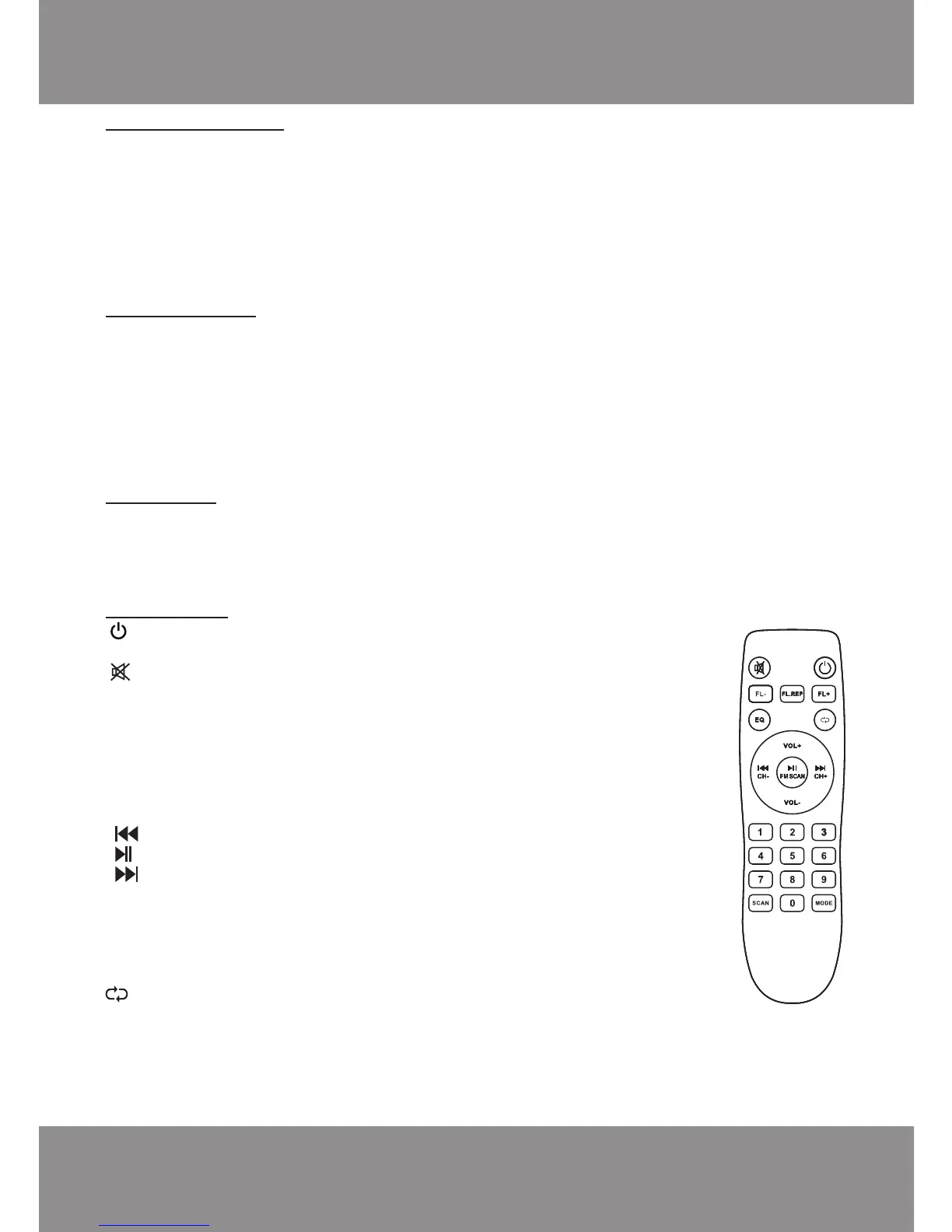
REMOTE CONTROL
Before the use of remote control, two R03/AAA 1.5V batteries must be inserted.
Key functions:
[ ] - switching on of the sound system/ shifting into standby
mode.
[ ] - switching off of sound.
[FL-] - previous folder.
[FL.REP] - selection of folder repeating/ playing type (in USB mode)
"ALL" - cyclic playback of all tracks;
"FoLd" - cyclic arrangement of the current folder.
[FL+] - next folder.
[EQ] - shifting of equalized modes (in USB/SD/bLUE).
[VOL+ ] - turning the volume up.
[ /CH-] - previous track/ previous FM radio station.
[ / FM SCAN] - pause mode/ scanning of FM range.
[ /CH+] - next track/ next FM radio station.
[VOL- ] - turning the volume down.
[0] - [9] - digital keys for the entry of MP3 track number / selection of
the stations xed in FM radio memory.
[SCAN] - plays 10 sec of each track in USB mode. (INTRO)
[MODE] - mode shift (bLUE/ FM / USB/ SD/ LINE).
- "ONE REPLAY" – repeated playback of one composition
"ALL" - playback of all compositions.
INSTRUCTIONS FOR CORRECT USE
This is a complicated device and must be handled with care. In order to provide long and reliable
operation of the sound system, please, comply with the instructions described below.
1. Do not put the sound system in a place with very high temperature (over 40˚C).



 To Next Page
 Loading...