11
3. Continue to hold down the SERVICE button until the correct number of flashes for the controller being
used is observed. Then release the button.
Controller: # of Flashes: Off Time:
POLARIS Eos 1 Approximately 5 seconds
PENTAIR IntelliTouch 1 Approximately 5 seconds
JANDY AquaLink RS (rev K) 2 Approximately 5 seconds
JANDY AquaLink RS (rev L) 3 Approximately 5 seconds
A software connection should have been made.To verify a valid connection, observe the menu screen of
the controller being used. If the chlorinator does not appear to have made a connection, try resetting both
the DuoClear and the controller.
When connected to one of these controllers the DuoClear behaves as a “drone”, responding only to the
controller, so none of the buttons on the DuoClear will function.
If the communication link between the controller and the DuoClear is lost, it will continue operation as it
was before the controller lost connection. It will behave as a “stand alone” unit until the controller is
reconnected or the user changes the settings.
Check Salt / No Flow Warnings to Controllers
When a low salt or no flow condition occurs, the DuoClear sends a message to the controller and the
controller signals the user to check for the condition as indicated below.
For more information on controller warning messages, consult the controller owner’s manual.
Low Salt
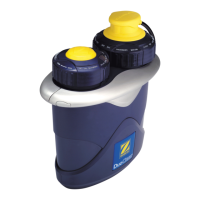
The ADD SALT indicator light on the DuoClear
power pack is illuminated:
Polaris Eos: flashes the error code "‘Check
Chlorinator" on the screen, and displays a salt
level of 2900 ppm.
Jand
y Aqualink RS (REV K
):
displays a salt
level of 2900 ppm.
Jandy Aqualink RS (REV L):
displa
ys a salt level of 2900 ppm as well as
a LOW SALT warning message.
Pentair IntelliTouch: displays a salt level of
2900 ppm and a LO
W SALT w
arning message.
Always test the salt level in the pool before adding
salt as w
ater temperature or scaling of the cell can
cause the ADD SALT light to illuminate
.
No Flow
The red NO FLOW indicator light on the DuoClear
will illuminate:
Polaris Eos: flashes “Check Chlorinator”
and displays a 0 ppm salt level.
Jandy Aqualink RS (REV K): displays
a salt le
vel of 0 ppm.
Jandy Aqualink RS (REV L):
displays “No Flow.”
P
entair IntelliT
ouc
h
:
displa
ys
“Chec
k
Flow/PCB.”









 To Next Page