EN
H0538700.B - EN - 2015-09
6
3.4 Use and conguraon of the user interface
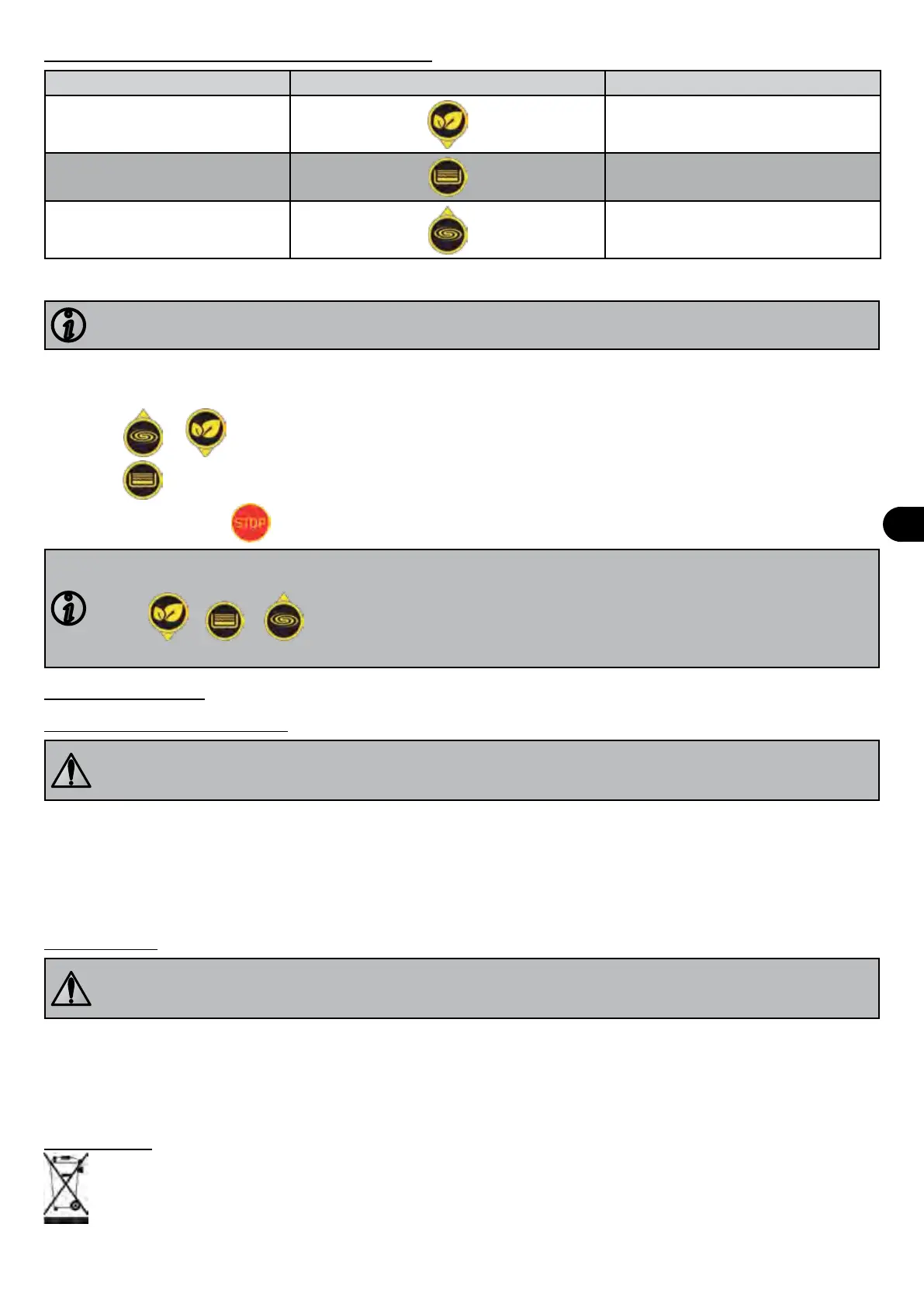
Speed Keys to start the speed Default speed
"ECO" speed
1400 rpm
"CLEAN" speed
2150 rpm
"BOOST" speed
2850 rpm
• When the pump is running, it displays the operang speed and an LED lights up above the key which corresponds to
the speed.
If the mains supply is disconnected (manually or via the ltraon clock) the pump will restart at the last speed
acve.
• To modify the seng of one of the three speeds:
- the speed you want to modify must be operang,
- press the key that corresponds to this speed for 5 seconds (the corresponding green LED must ash).
- press
or unl you reach the speed you want (increments of 50 rpm).
- Press
for 10 seconds to save.
• To stop the pump, press
.
You may reset the pump to return it to "factory" conguraon:
- make sure that the pump is powered up but stopped ("OFF" is displayed on the screen).
- press
+ + for 5 seconds unl the 3 corresponding green LEDs ash once.
- release the keys: the pump is now reset.
4. Maintenance
4.1 Maintenance instrucons
General maintenance of the appliance is recommended when the pool is wintered and before restarng, to
check that it operates correctly and maintains its performance, as well as to prevent certain types of failure.
These operaons are carried out at the user's expense, by a qualied technician.
• Make sure that the pump or electrical compartment contain no foreign bodies.
• Clean the outside of the appliance, do not use solvent-based products.
• Check that the user interface is correctly connected.
• Check the connecon of the metal masses to the earth.
• Check that the electrical cables are correctly ghtened and connected and that the electrical unit is clean.
• Clean the pre-lter strainer, the cover and the seal regularly.
• Check that the pre-lter strainer is correctly in place, or it may prevent the cover from closing fully.
4.2 Wintering
The pump must be fully wintered in the event of frost or extended electrical disconnecon. If the pump freezes
it may cause severe damage and invalidate the warranty.
To avoid damaging the equipment with condensaon, do not fully cover it.
• If the pump is posioned below the water level, close the isolaon valves at sucon and discharge.
• Drain the pump (using the 2 bleed screws) and the hydraulic circuit, following the swimming pool manufacturer's
instrucons.
• Remove the 2 bleed screws and keep them to reinstall them when the pump is put back into operaon.
• You are recommended to disconnect the electrical power cable then unscrew the hydraulic connectors to store the
pump in a dry place away from frost.
4.3 Recycling
This symbol means that your appliance must not be thrown into a normal bin. It will be selecvely collected for the
purpose of reuse, recycling or creang value. If it contains any substances that may be harmful to the environment,
these will be eliminated or neutralised.
Contact your dealer for recycling informaon.


 To Next Page