1. Press to enter menu mode.
2. Use
or to scroll list until Tx Power
3. Press to select
4. Use
or to select high/medium/low
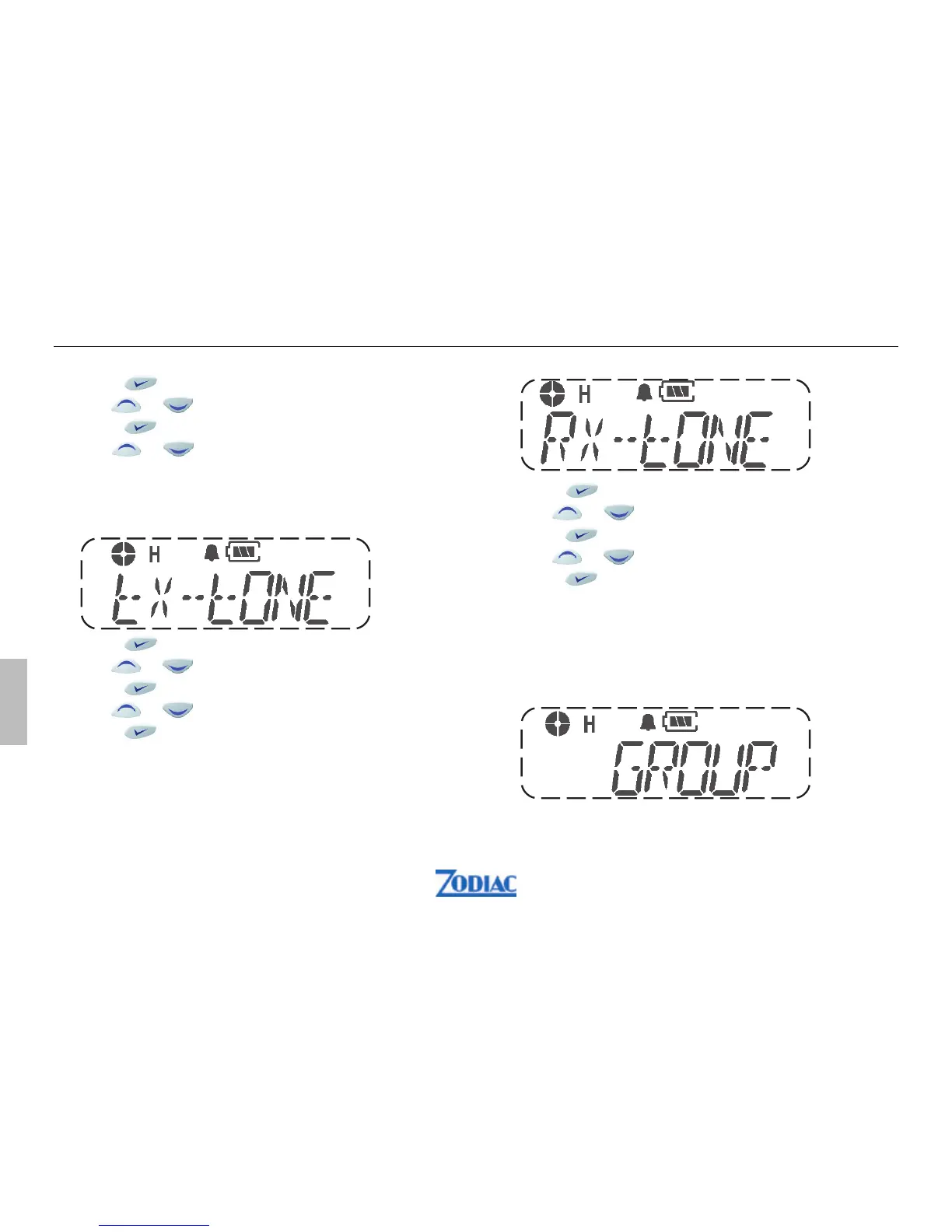
Tx Tone
This function is used to change Tx Tone such as
CTCSS, DCS.
1. Press
to enter menu mode.
2. Use or to scroll list until Tx Tone
3. Press
to select
4. Use or to select CTCSS or DCS
5. Press
to select
There are 38 CTCSS code (1-38) and 83 DCS code (101-183)
0 means no Tone.
Rx Tone
This function is used to change Rx Tone such as
CTCSS, DCS.
1. Press to enter menu mode.
2. Use
or to scroll list until Rx Tone
3. Press to select
4. Use
or to select CTCSS or DCS
5. Press to select
There are 38 CTCSS code (1-38) and 83 DCS code (101-183).
0 means no Tone.
Group
This function enables you to select desired group of
channels, if pre-programmed.
52 Zodiac Proline W
English


 To Next Page