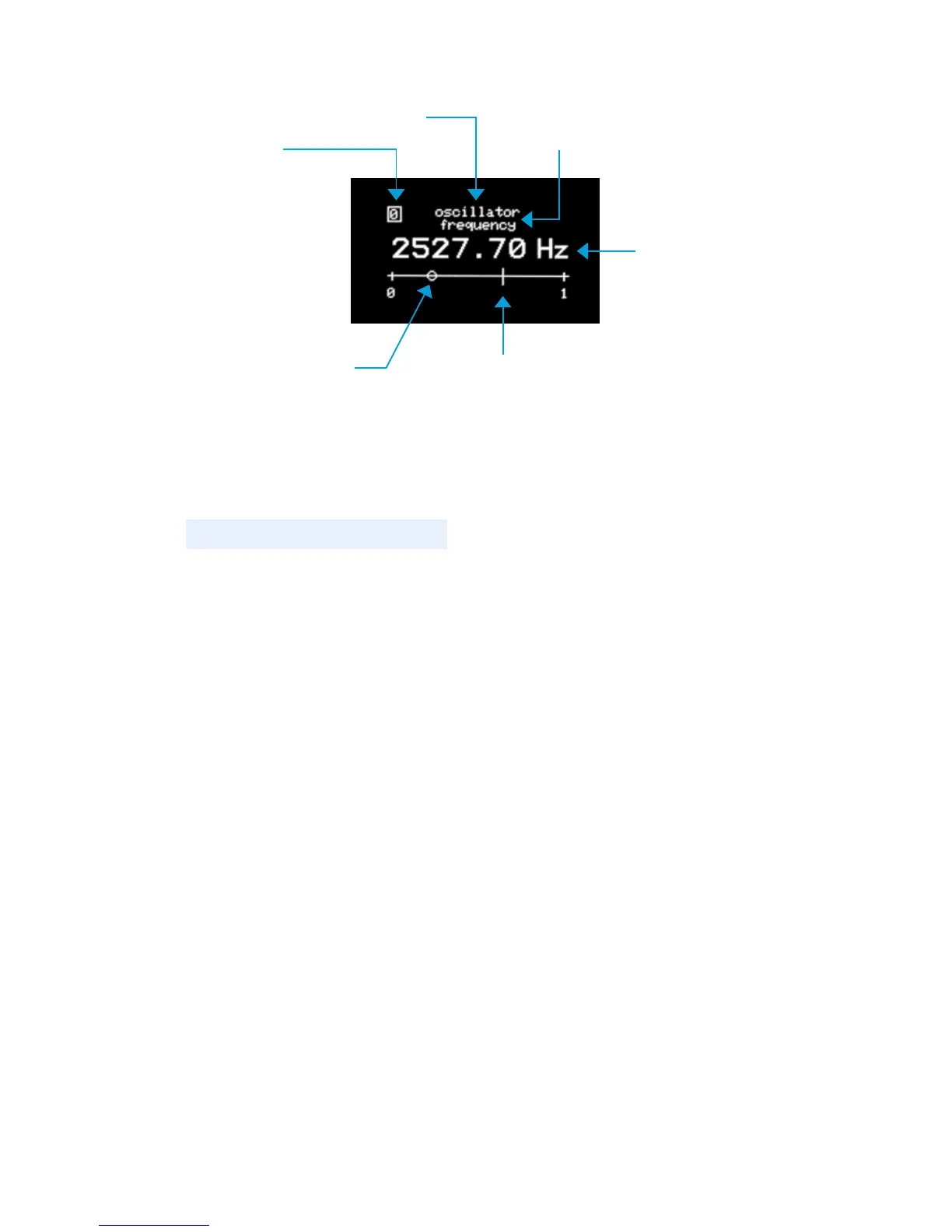
The parameter adjust screen (above) appears when you select
a button within a module. The CV bias point is represented by
the small circle, and the parameter value position is represented
by the small line. When an incoming CV signal from a connection
changes the parameter, you’ll see the bias point stay in position
while the line moves according to the change. See Signals
page 14 for an explanation of what a CV signal is.
PARAMETER VALUE
POSITION
CV BIAS POINT
PARAMETER
NAME
PARAMETER VALUE
MODULE NAME
PAGE #
8


 To Next Page