the program from the beginning.
WARNING DISPLAY
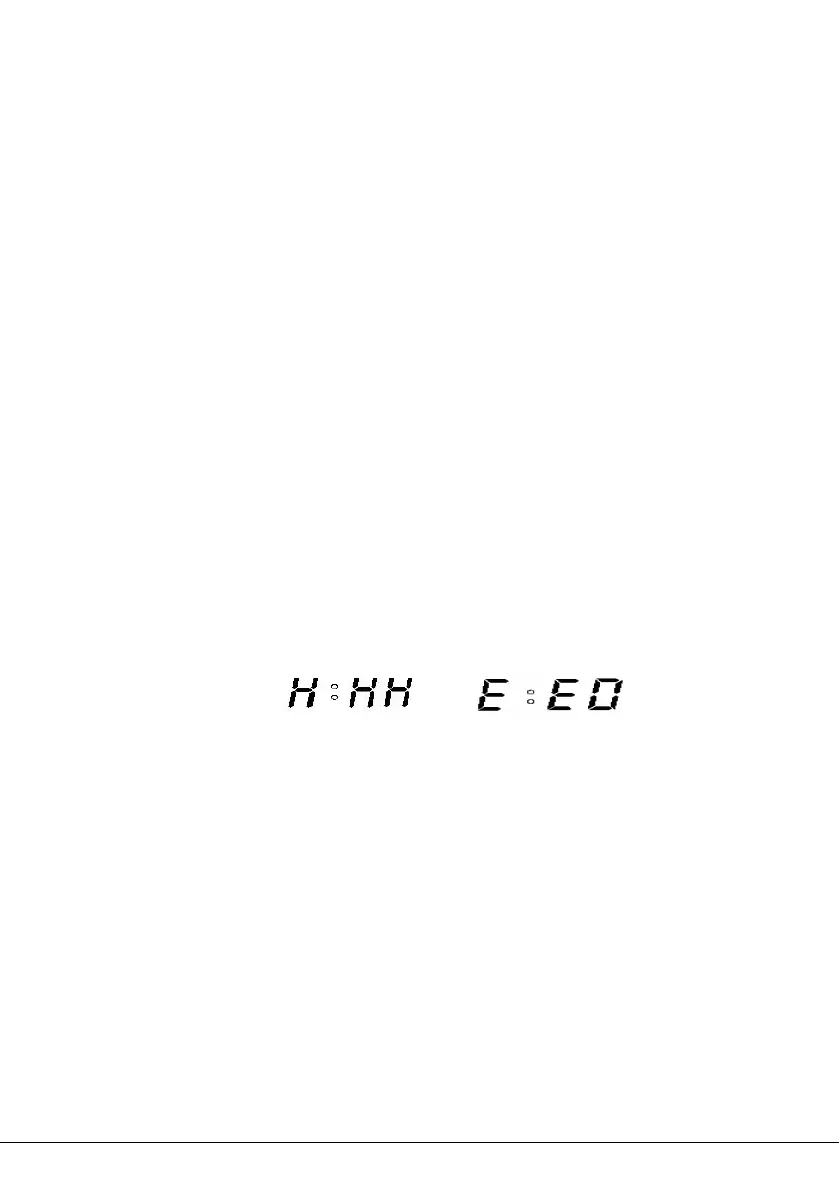
”HHH”-This warning means that the temperature inside of the
bread pan is too high. Press START/STOP button(see below
figure1)to stop the program, unplug the power cord, open the top
lid, and let the machine cool down completely for 10-20minutes
before restarting.
”EE0”-This warning means that the temperature sensor is
disconnected. Press START/STOP button(see below figure2) to
stop the program, unplug the power cord. Please check the
sensor by the nearest authorized service agent for examination,
repair or electrical /mechanical adjustment.
Figure 1 Figure 2
KEEP WARM
After baking program is complete, the bread machine will beep 10
times and shift to Keep Warm setting for 1 hour. It will be displayed
“0:00 ”.
To cancel the Keep Warm process, press the START/STOP button
for 3 seconds.
TIP: Removing bread immediately after baking program is complete


 To Next Page