2.Select NetWare and type in the Print server that created during PCONSOLE Select the
NetWare File Server to which the print server device will be attached.
3.Click Setup, it then appears the sub-menu.
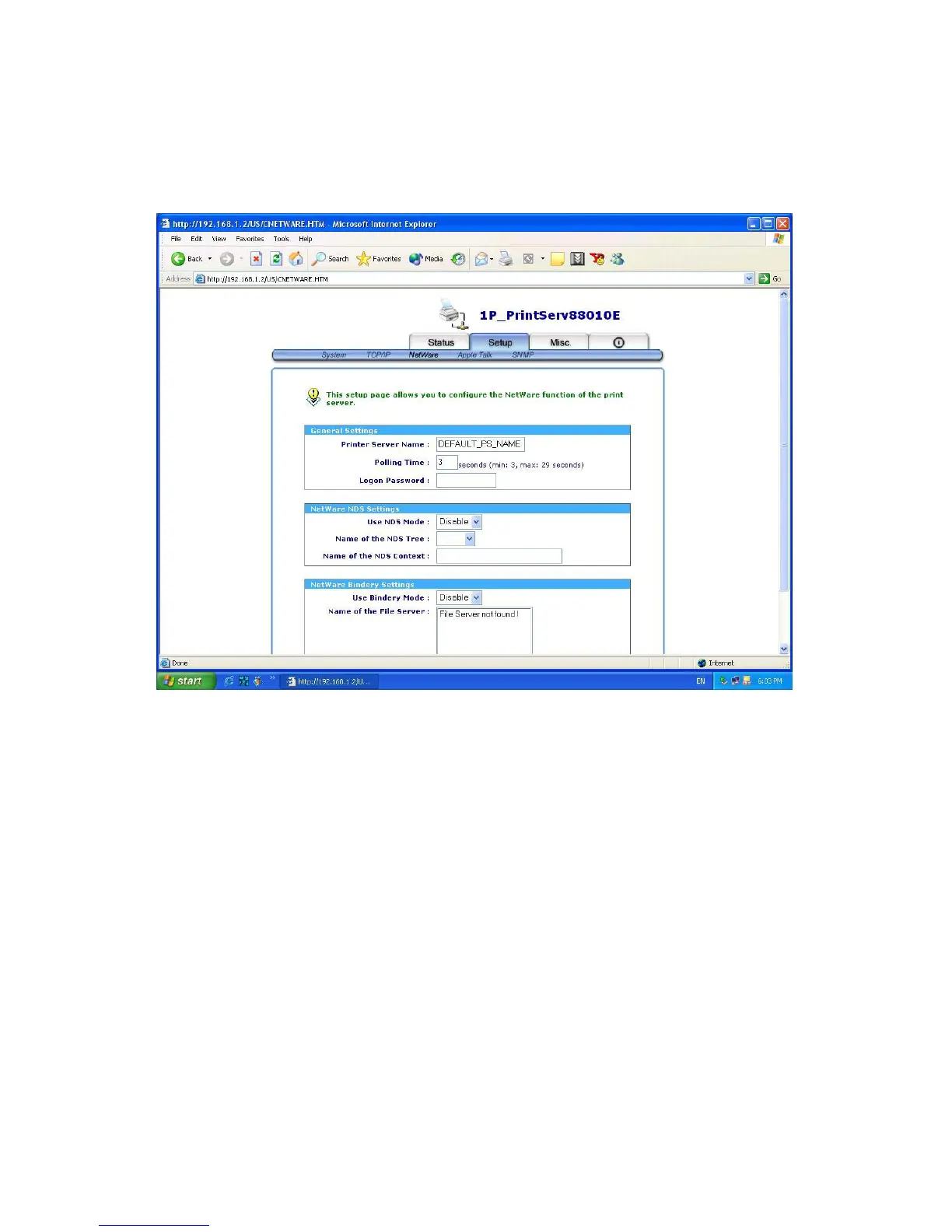
4.Click NetWare, it then as shown in the following picture.
Print Server Name: This option allows you to input print server name which configured by
PSAdmin utility or PCOMSOLE program.
Polling Time: The time interval in which the print server unit polls the file server for servicing
of print queues.
Logon Password: This option allows you to input encrypted password from the print server.
The print server login to NetWare server that administrator set password
from selected print server.
NDS Mode: To Enable NDS Mode, if you want to setup NDS environment. To select Tree
Name of NetWare then input context name in the Context box.
Bindery Mode: To Enable Bindery Mode, if you want to setup Bindery environment. To
select File Server Name of NetWare.
Installing Print Server on NetWare 4.x/5.x
37



 To Next Page