142
o
LaLaVoice and other voice-recognition software
If you wish to use these applications, please terminate the headset connection before
you launch them.
1.
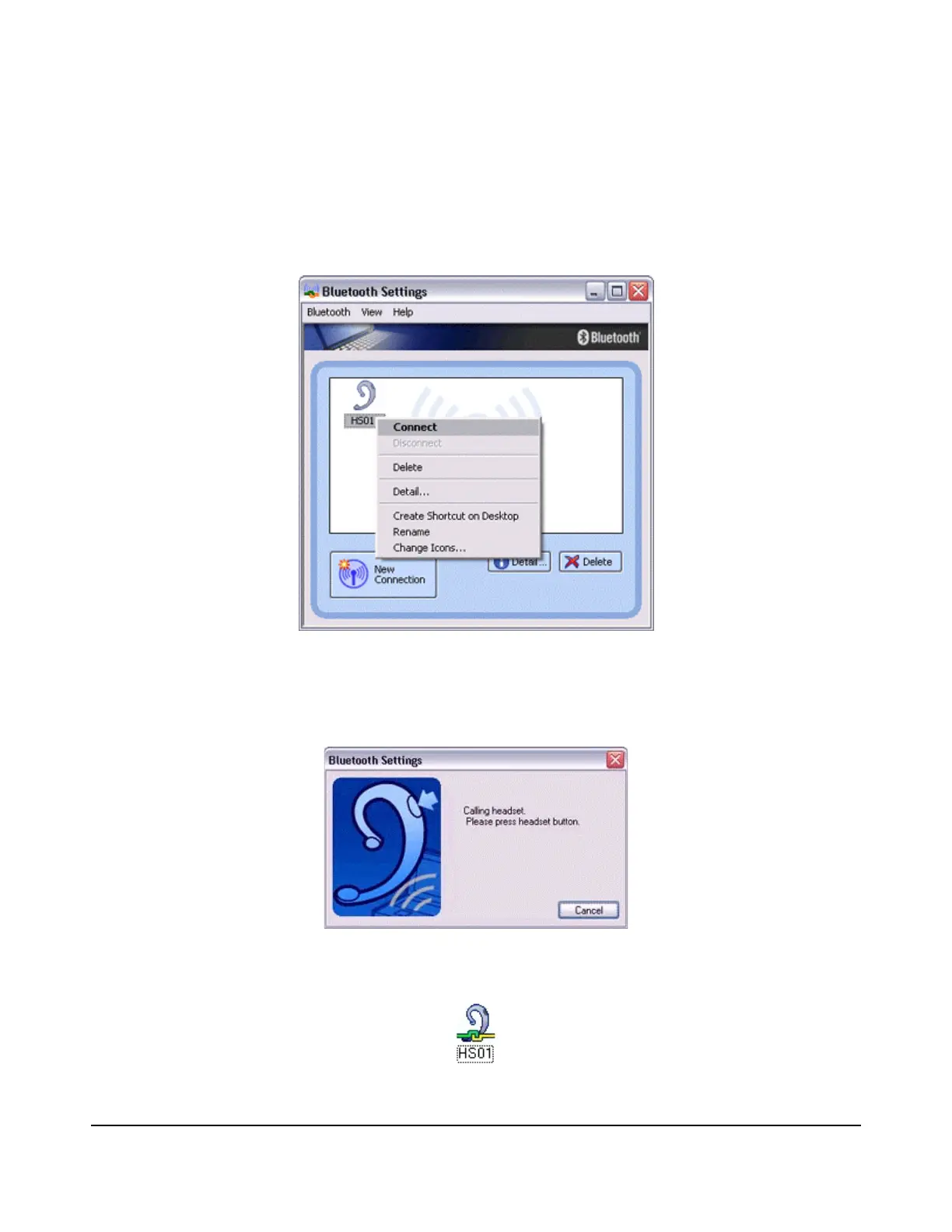
Right-click on the headset icon, then click on [Connect].
2.
Answer with the headset.
A screen will appear indicating that the headset is being called, and a tone will
accordingly sound in the headset. Please press the headset switch.
If the connection has been properly established, the icon's appearance will change to
indicate a connected state.



 To Next Page