19
Selecting and Saving Patch Memories
MEMORY STORE
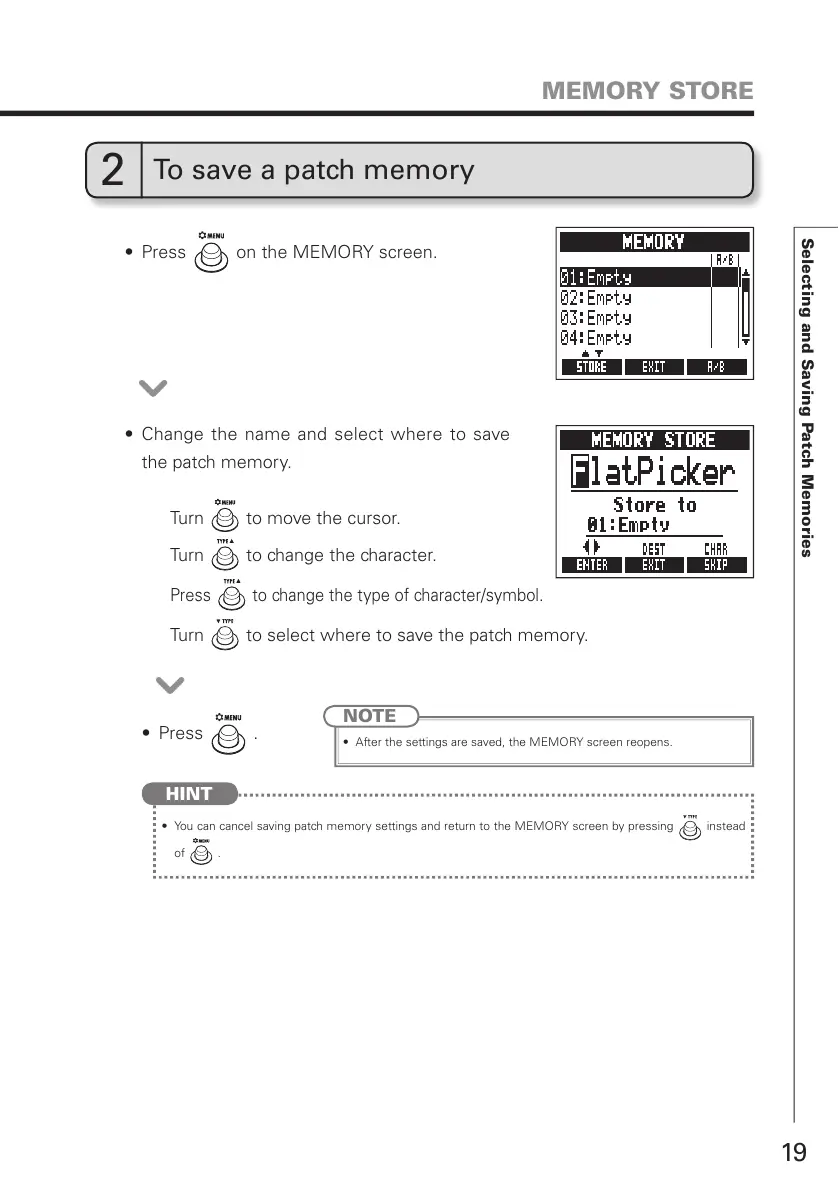
t 1SFTT on the MEMORY screen.
t 1SFTT
.
t $IBOHFUIFOBNF BOETFMFDU XIFSFUP TBWF
the patch memory.
NOTE
t "GUFSUIFTFUUJOHTBSFTBWFEUIF.&.03:TDSFFOSFPQFOT
Turn to move the cursor.
Turn to change the character.
Press to change the type of character/symbol.
Turn to select where to save the patch memory.
2
To save a patch memory
t :PVDBODBODFMTBWJOHQBUDINFNPSZTFUUJOHTBOESFUVSOUPUIF.&.03:TDSFFOCZQSFTTJOH instead
of
.
HINT



 To Next Page