31
About the Firmware
NEXT
VERSION
t 7JTJUUIF;00.XFCTJUFIUUQXXX[PPNDPKQ
t
Launch the firmware update application on your computer, and
execute the update.
3
To prepare to update the firmware
2
To download the latest firmware Update application
4
To update the firmware
t 4FFUIF;00.XFCTJUFGPSJOTUSVDUJPOTBCPVU
how to use the application.
HINT
NOTE
t %POPU EJTDPOOFDU UIF64# DBCMFXIJMF UIF
firmware is being updated.
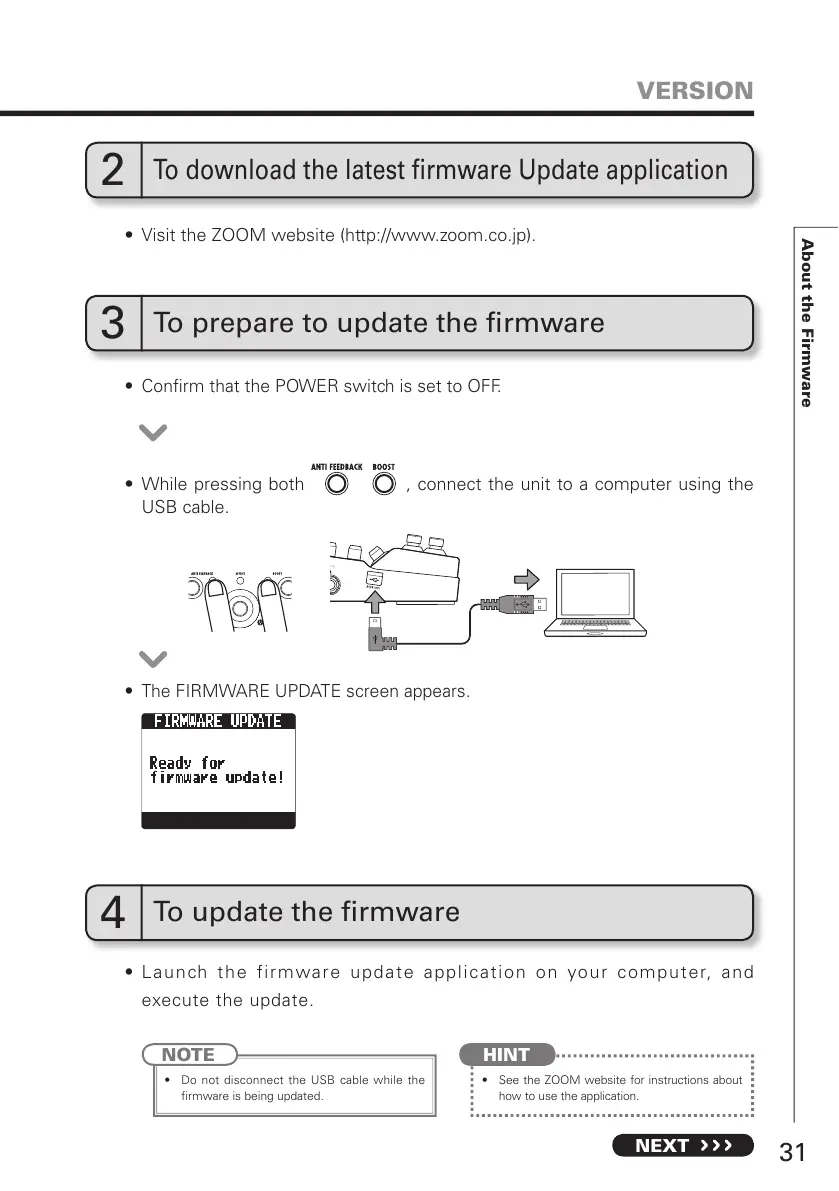
t $POmSNUIBUUIF108&3TXJUDIJTTFUUP0''
t 5IF'*3.8"3&61%"5&TDSFFOBQQFBST
t 8IJMFQSFTTJOHCPUI , connect the unit to a computer using the
USB cable.



 To Next Page