20
HINT
Select NO to cancel saving the patch.
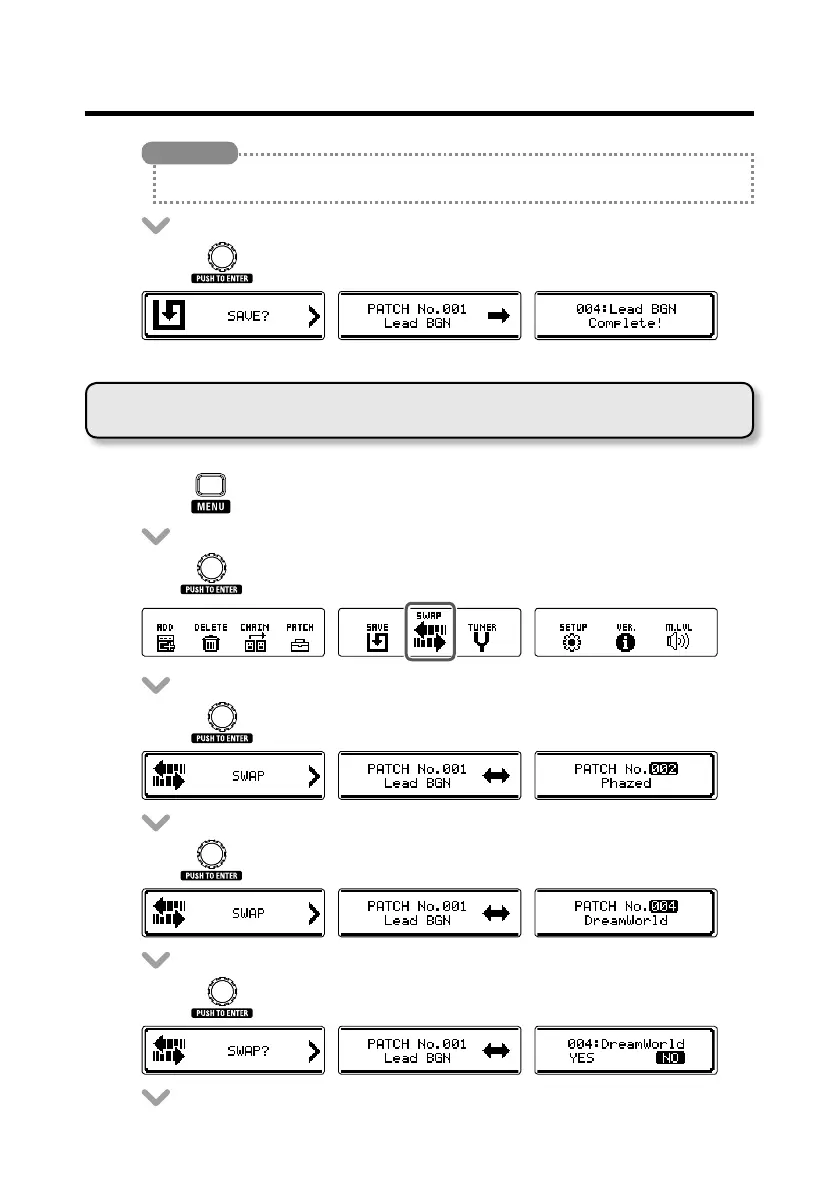
• Press to save the patch.
Swapping patches
• Press to open the MENU screen.
• Turn to select SWAP.
• Press to open the SWAP screen.
• Turn to select the patch to be swapped.
• Press to conrm the patch to be swapped.
Using patches



 To Next Page