26
Setting the auto save function
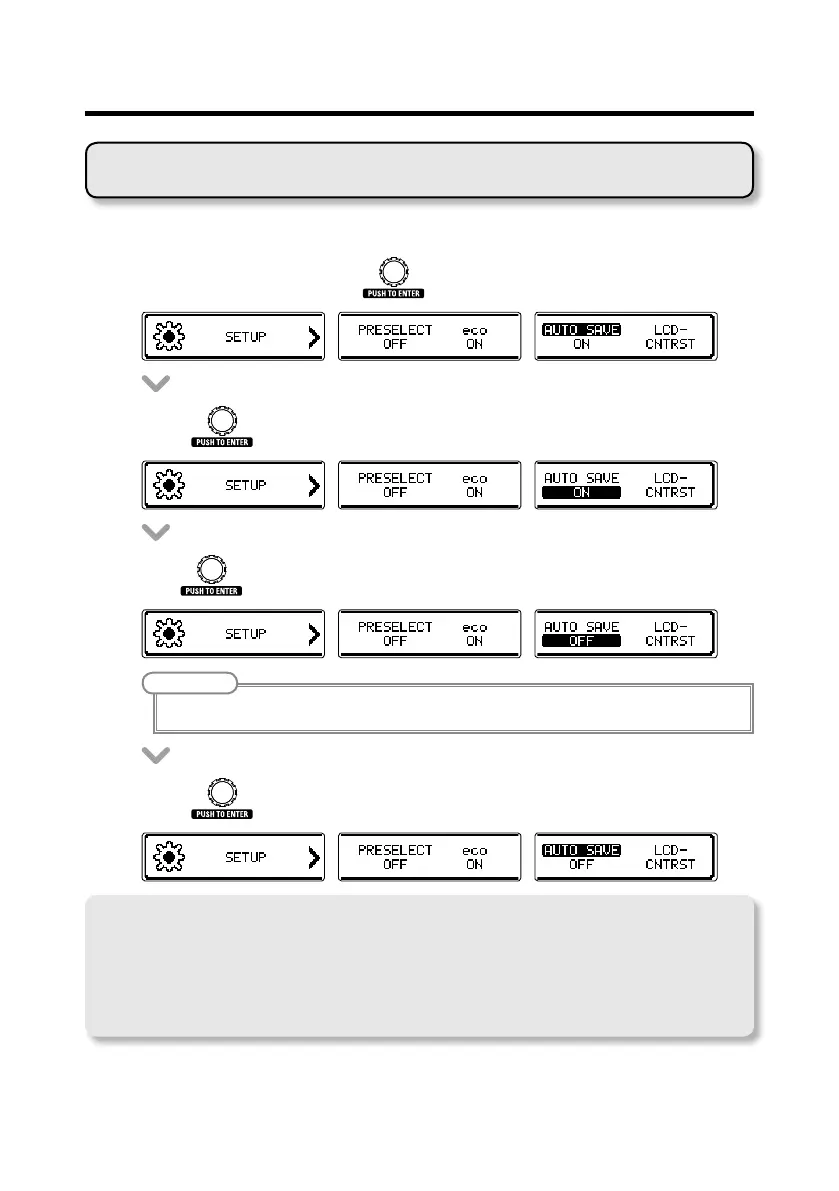
Enable parameters to be saved automatically.
• OntheSETUPscreen,turn
toselectAUTOSAVE.
• Press .
• Turn tosetAUTOSAVEtoON/OFF.
NOTE
When set to OFF, no patch or effect parameters will be saved automatically.
• Press to conrm the auto save setting.
Note about switching patches
WhenAUTOSAVEisset toOFF, if youtry to switch patches after changinganyparameters, a
message will appear asking to save the parameter changes.
To save changes to parameters before switching patches, select YES. (
¦
P19)
To discard changes to parameters before switching patches, select NO.
Changing various settings



 To Next Page