48
Updating the firmware
■ To download the latest rmware
VisittheZOOMWebsite(http://www.zoom.co.jp/).
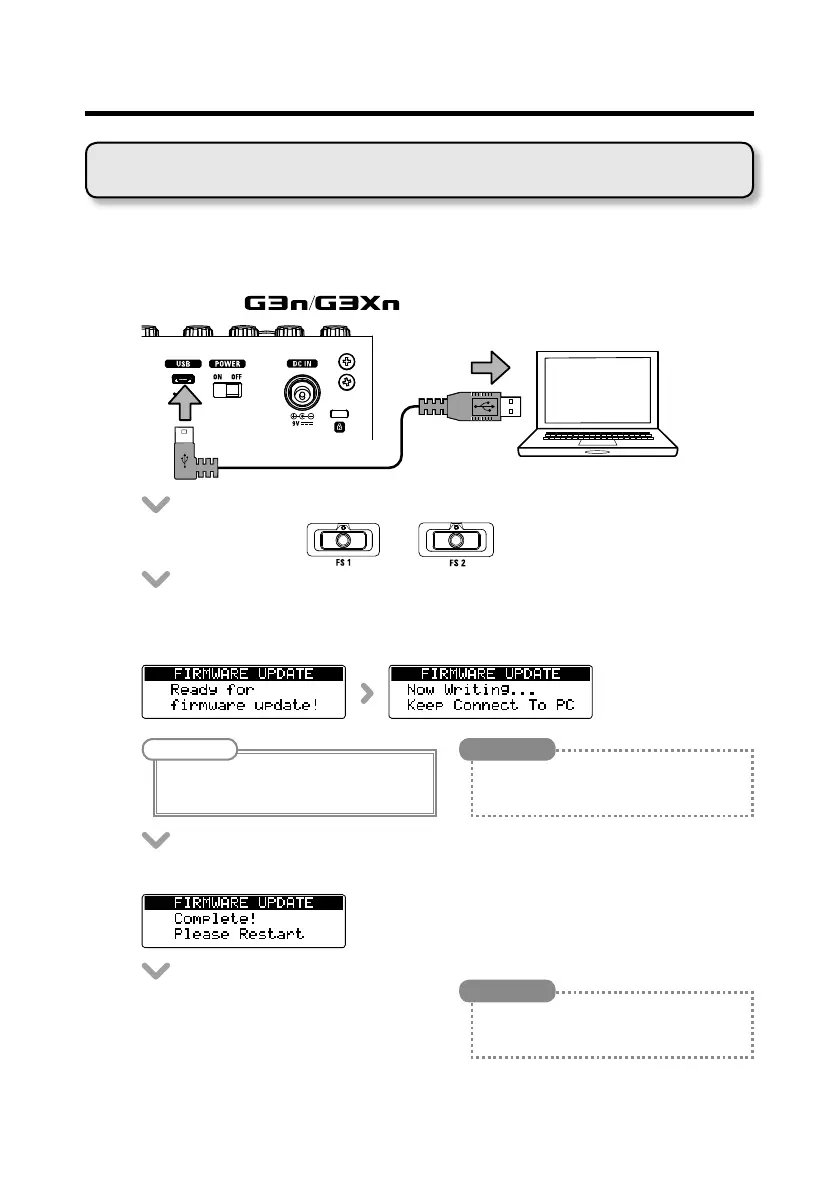
• Connectthe
to a computer using a USB cable.
• Whilepressingboth
and
, set the POWER switch to ON.
• Launchtheversionupdateapplicationonyourcomputer,andexecutethe
update.
NOTE
Do not disconnect the USB cable during the
update.
HINT
See the ZOOM website for instructions about
how to use the application.
• "Complete!"willappearonthedisplaywhenupdatingcompletes.
• SetthePOWERswitchtoOFF.
HINT
Updating the firmware version will not erase
saved patches.
Updating the rmware



 To Next Page