6
Turning the power on
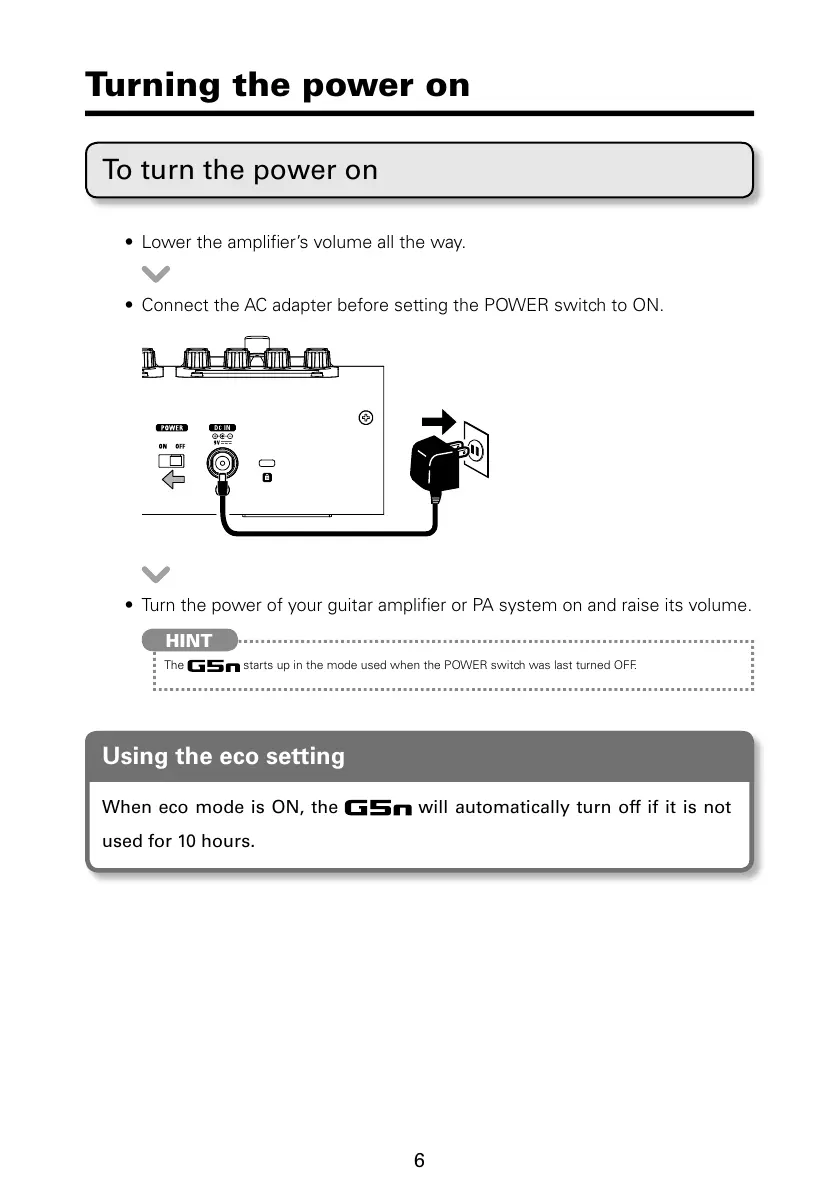
To turn the power on
t -PXFSUIFBNQMJmFSTWPMVNFBMMUIFXBZ
t $POOFDUUIF"$BEBQUFSCFGPSFTFUUJOHUIF108&3TXJUDIUP0/
t 5VSOUIFQPXFSPGZPVSHVJUBSBNQMJmFSPS1"TZTUFNPOBOESBJTFJUTWPMVNF
HINT
The TUBSUTVQJOUIFNPEFVTFEXIFOUIF108&3TXJUDIXBTMBTUUVSOFE0''
Using the eco setting
When eco mode is ON, the will automatically turn off if it is not
used for 10 hours.



 To Next Page