6
Adjusting levels, tone and panning
█
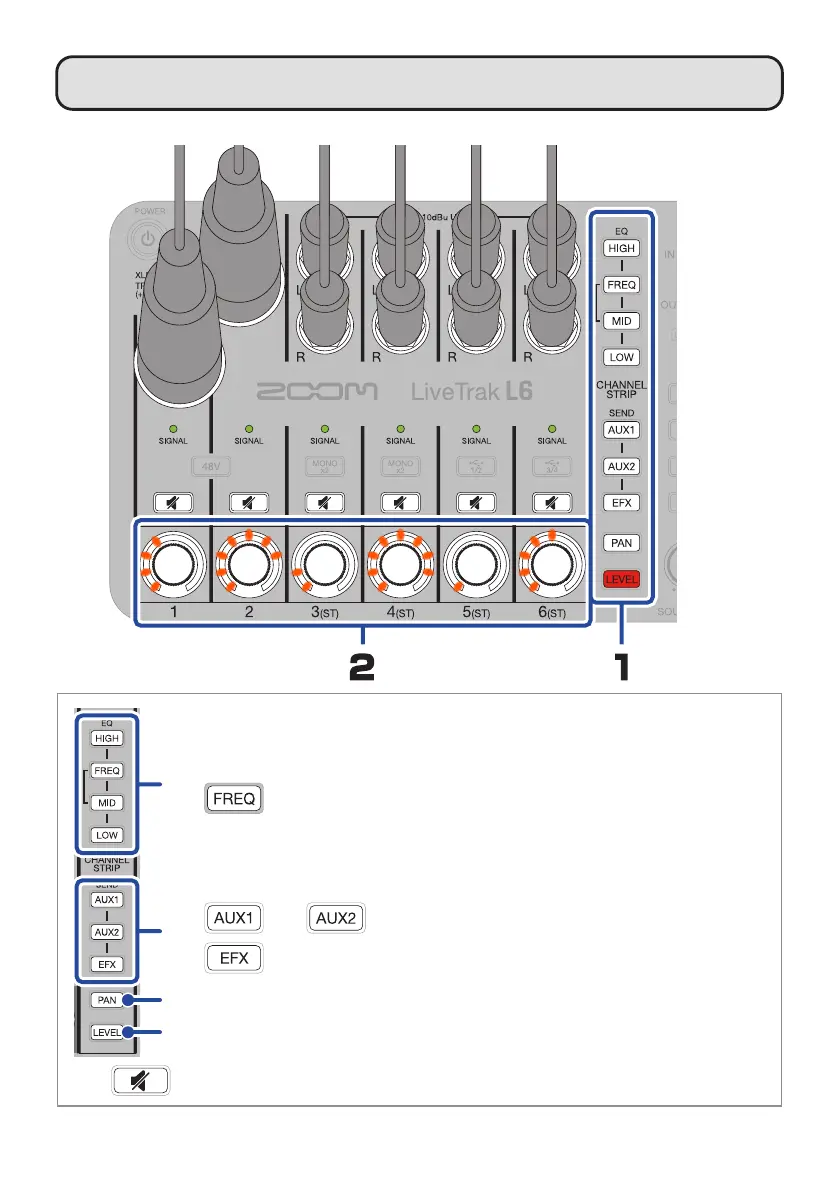
Adjusting level, tone and panning for each channel
Press one so
it lights.
Turn to adjust.
Use these to adjust the boost/cut amount for high, mid and low frequencies.
Use
to adjust the middle frequency of the mid band (100 Hz – 8 kHz).
Use this to adjust the panning.
Use this to adjust the level.
Use and to adjust the levels sent to the AUX SEND jacks.
Use to adjust the level sent to the internal effect.
Press to light it, muting that channel.


 To Next Page