Chapter 2: Advanced Setup Options 25
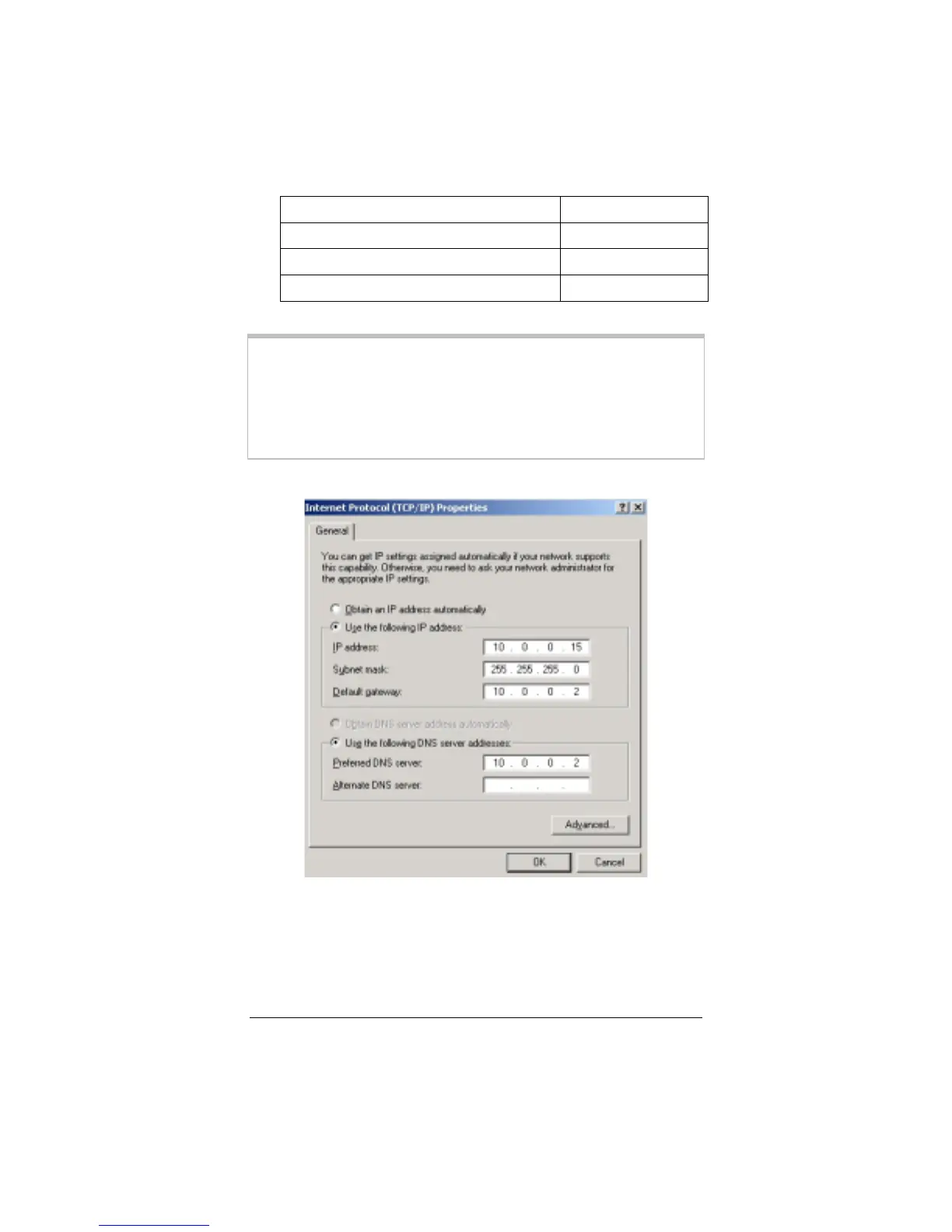
IP address
10.0.0.15
Subnet mask
255.255.255.0
Default gateway (X4’s LAN IP address)
10.0.0.2
Preferred DNS server
10.0.0.2
Note:
These TCP/IP instructions and screenshot are typical of a
computer using Windows 2000 or XP; if you are using
Windows 98 or Me, yours may differ slightly. If you are
using Windows 95, or are a Macintosh or Linux user, and
need help with your TCP/IP settings, turn to the
Appendix on page 46. Otherwise, continue to Step 6.
6
66
6
Return to the
Virtual Server
page and enter the static IP
address 10.0.015 in the
Host IP Address
field. Click
Add
This Setting
and then click the
Write Settings to Flash and
Reboot
button.



 To Next Page